
Admin Dashboard- User Guide
Page 1: Admin Dashboard Overview
Overview
The Admin Dashboard is the central control panel of the school management system. It provides administrators with a unified interface to manage academics, staff, students, finances, and communications.
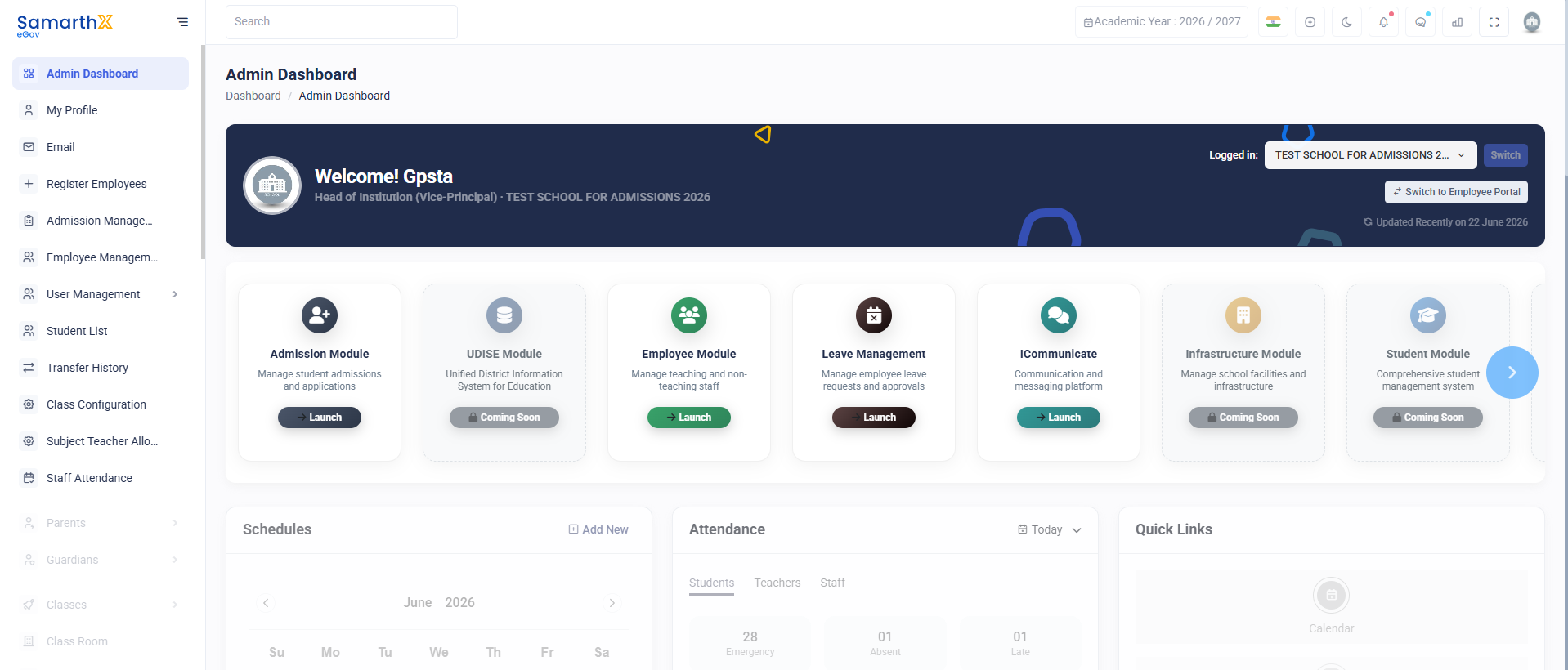
Basic Dashboard Information
- Welcome Message (e.g., “Welcome! Gpsta”)
- Role: Head of Institution (Vice-Principal)
- School Name: TEST SCHOOL FOR ADMISSIONS 2026
Key Dashboard Features
- Real-time academic and administrative overview
- Quick navigation to modules
- Attendance and event tracking
- Financial summaries
- Task management (Todo list)