
New Page
Overview
The Application Details page provides complete information about a student's admission application submitted to the school.
School administrators can:
- Review applicant information
- Verify uploaded documents
- Review academic history
- Review parent and guardian information
- Verify address details
- Update application status
- Make admission decisions
Navigation
Admin Dashboard → Admission Management → Application Details
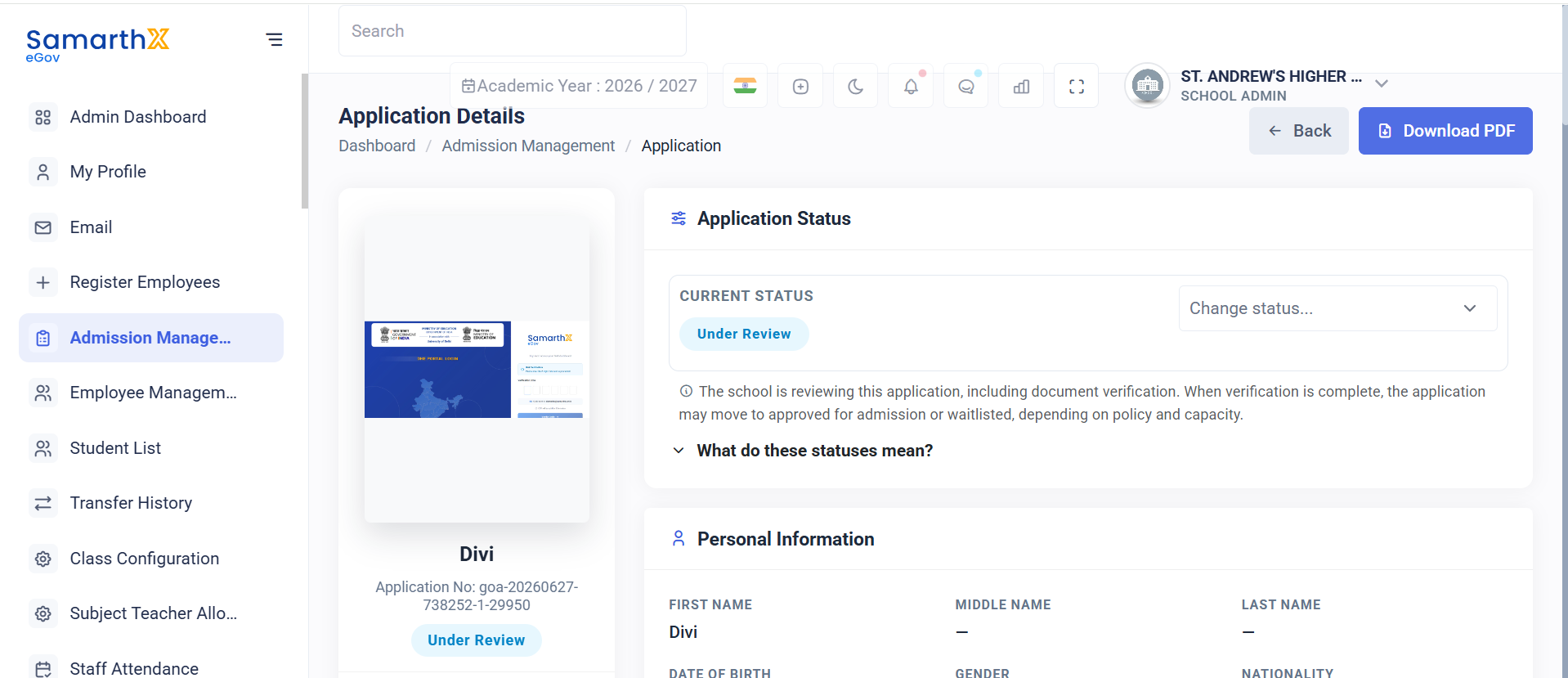
Personal Information
Displays applicant personal details.
Information Displayed
- First Name
- Middle Name
- Last Name
- Date of Birth
- Age
- Gender
- Nationality
- Place of Birth
- Religion
- Category
- Mother Tongue
- Blood Group
- Mobile Number
- Email Address
- PEN Number
- APAAR ID
- Aadhaar Number
Disability Information
Displayed when the applicant is marked as a Person with Disability (PwD).
Information Displayed
- PwD Status
- Disability Type
- Disability Percentage
Documents
Administrators can review and verify uploaded documents.
Document Verification
Verified documents are stored in the student profile after admission.
Information Displayed
| Field | Description |
|---|---|
| Document Name | Name of the uploaded document |
| Document Format | File type (IMAGE) |
| Verification Status | Current status of the document |
| Available Actions | Actions that can be performed |
Supported Documents
- Student Photo
- Birth Certificate
- Aadhaar Card
- Father Aadhaar Card
- Leaving Certificate
- Transfer Certificate
- Eligibility Certificate
- Guardian Signature
- Consent Form
Document Statuses
- Verified
- Unverified
- Re-upload Requested
Available Actions
- View Document
- Verify Document
- Request Re-upload
- Reject Document
Academic Background
Displays the applicant's academic history.
Information Displayed
- Grade Applied For
- Academic Year
- Previous School Name
- Previous Class
- Medium of Instruction
- Previous Class Result Status
Board Examination Details
- Board Examination
- Total Marks
- Marks Obtained
- Percentage
Certificate Information
- Transfer Certificate Availability
- Transfer Certificate Reference Number
- Eligibility Certificate Availability
- Eligibility Certificate Reference Number
- Migrated Student Status
Address Information
Permanent Address
- Street / House Details
- City
- Taluka
- District
- State
- Pincode
- Country
Correspondence Address
- Same as Permanent Address Status
- Street / House Details
- City
- Taluka
- District
- State
- Pincode
- Country
Family & Guardian Information
Parental Status
Examples:
- Both Parents
- Single Parent (Mother)
- Single Parent (Father)
- Guardian
Parent Details
Father Information
- Name
- Phone Number
- Occupation
- Education
- Annual Income
Mother Information
- Name
- Phone Number
- Occupation
- Education
- Annual Income
Guardian Information
Displayed when applicable.
Information Displayed
- Guardian Different Status
- Guardian Name
- Relationship
- Mobile Number
- Email Address
- Occupation
Document Verification Dashboard
Document Status Table
| Document Name | Format | Status | Actions Available |
|---|---|---|---|
| Student Photo | IMAGE | Rejected | Re-upload Required |
| Birth Certificate | IMAGE | Rejected | Re-upload Required |
| Aadhaar Card | IMAGE | Rejected | Re-upload Required |
| Father Aadhaar Card | IMAGE | Unverified | Verify / Reject |
| Leaving Certificate | IMAGE | Unverified | Verify / Reject |
| Transfer Certificate | IMAGE | Unverified | Verify / Reject |
| Eligibility Certificate | IMAGE | Unverified | Verify / Reject |
| Guardian Signature | IMAGE | Unverified | Verify / Reject |
| Consent Form | IMAGE | Unverified | Verify / Reject |
Status Definitions
Unverified
Document uploaded but pending review.
Verified
Document approved by reviewer.
Rejected
Document failed verification and requires re-upload.
Verification Workflow
- Applicant uploads documents
- Documents appear as Unverified
- Reviewer checks documents
- Reviewer action:
- Verify → Mark as Verified
- Reject → Mark as Rejected with reason
- Applicant re-uploads rejected documents
- Re-uploaded documents return to Unverified
- Admission continues only after all required documents are Verified
Admission Review Workflow
Application Submitted
        ↓
School Reviews Application
        ↓
Personal Information Review
        ↓
Academic Information Review
        ↓
Document Verification
        ↓
All Documents Verified?
        ↓
Yes → Continue Decision Process
        ↓
Admission Decision
        ↓
Approved / Waitlisted / Rejected

No
        ↓
Request Re-upload
        ↓
Applicant Resubmits Documents
        ↓
Re-verification
        ↓
Continue Review

## Document Verification Flow

```text
Open Application
        ↓
Select Document
        ↓
Review Content & Quality
        ↓
Decision

Verified → Approve Document

OR

Issue Found → Request Re-upload → Recheck