
Employee Module-User guide
Overview
The Employee Management module enables school administrators to manage and monitor all employee records within the school.
Dashboard Overview
The dashboard provides a summary of staff statistics categorized by employee type and status.
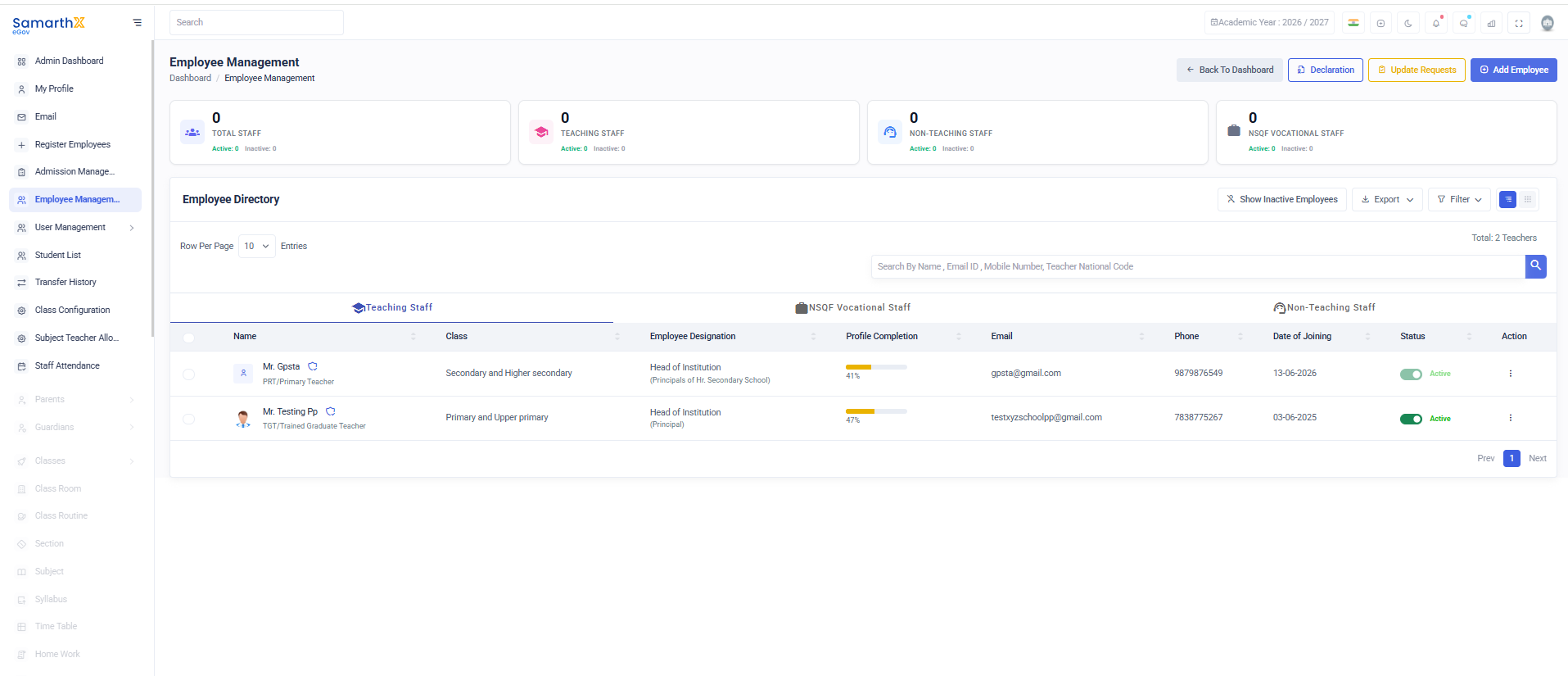
Staff Summary Cards
-
Total Staff
- Active Staff Count
- Inactive Staff Count
-
Teaching Staff
- Active Teaching Staff
- Inactive Teaching Staff
-
Non-Teaching Staff
- Active Non-Teaching Staff
- Inactive Non-Teaching Staff
-
NSQF Vocational Staff
- Active Vocational Staff
- Inactive Vocational Staff
Employee Directory
The Employee Directory displays all registered employees and provides tools for searching and filtering employee records.
Search Employees
Use the search bar to find employees by:
- Employee Name
- Email ID
- Mobile Number
- Teacher National Code
Employee Categories
Employees can be filtered using the following tabs:
- Teaching Staff
- NSQF Vocational Staff
- Non-Teaching Staff
Employee List
The employee list displays the following information for each employee:
| Field | Description |
|---|---|
| Name | Employee's full name |
| Employee Designation | Assigned designation |
| School Category | School level associated with the employee |
| Role | Assigned administrative or academic role |
| Profile Completion | Percentage of profile information completed |
| Registered email address | |
| Phone | Contact number |
| Date of Joining | Employee joining date |
| Status | Current employee status |
| Action | Available actions for employee management |
Employee Profile Completion
The Profile Completion percentage indicates how much of the employee's profile information has been completed.
Administrators can monitor profile completion to ensure employee records remain accurate and up to date.
Note: Employee information displayed in the directory depends on the employee category selected and the records available in the school database.