
Staff Attendece-Special Attendance-View Request
Create Request Overview
Special Attendance allows admins to create and manage attendance requests that require approval before marking attendance. These requests are used for exceptional cases such as duty assignments, corrections, or approved adjustments.
Some requests are forwarded to DHE for approval before they can be processed.
Navigation
Admin Dashboard → Staff Attendance → Special Attendance
Features
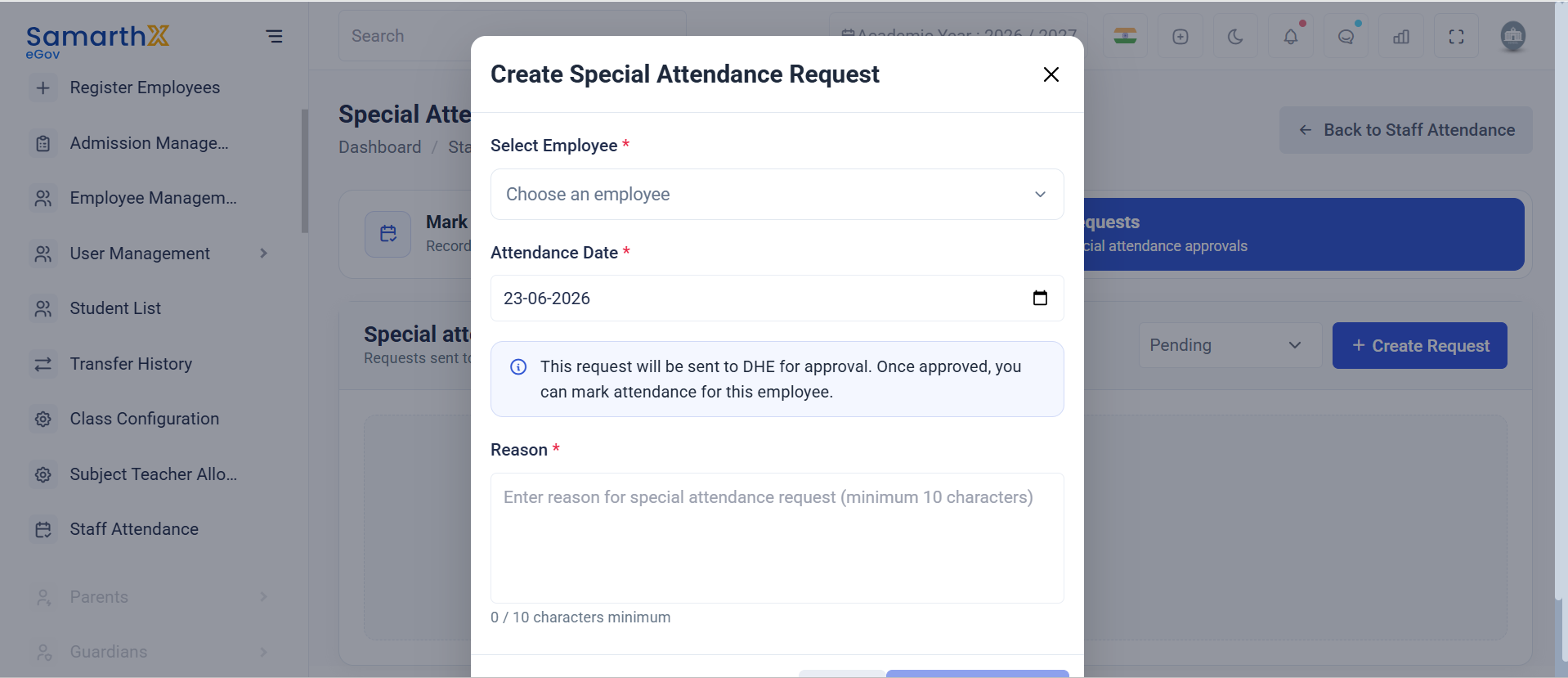
Create Special Attendance Request
Create a new request for an employee when special attendance needs approval.
- Select employee
- Choose attendance date
- Provide a valid reason (minimum 10 characters)
- Request is sent for approval (may include DHE approval flow)
Mark Attendance
Marks attendance only after the request is approved.
View Requests
Displays all special attendance requests with their current status.
Workflow
- Admin creates a special attendance request
- Request is sent for approval (DHE if required)
- Once approved, it becomes eligible for attendance marking
- Admin marks attendance for the employee
Form Fields
- Employee: Select staff member
- Attendance Date: Date of special attendance
- Reason: Minimum 10 characters explanation required
Status
No special attendance requests are available at the moment.