
My Profile- User Guide
Overview
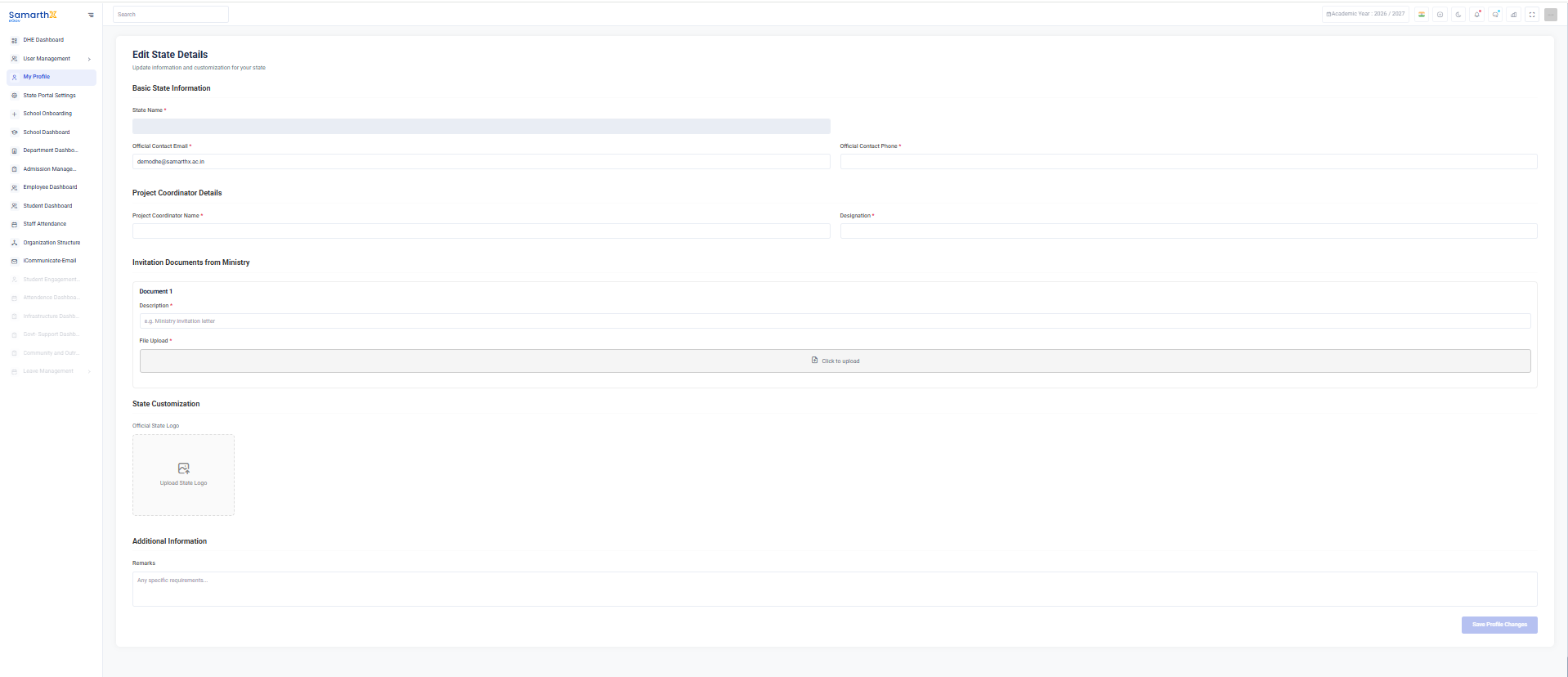
The State Details Configuration page allows administrators to manage state-level information, official contacts, project coordinator details, supporting documents, branding, and additional administrative settings used across the platform.
Navigation
Dashboard → State Portal Settings → Edit State Details
Purpose
The State Details page enables administrators to:
- Maintain official state information
- Configure contact details
- Manage project coordinator information
- Upload ministry and supporting documents
- Customize state branding
- Store additional administrative notes
Basic State Information
The Basic State Information section captures official state-level details.
Fields
| Field | Description |
|---|---|
| State Name* | Official name of the state |
| Official Contact Email* | Official communication email address |
| Official Contact Phone* | Official contact phone number |
Project Coordinator Details
This section stores information about the designated project coordinator responsible for implementation and coordination activities.
Fields
| Field | Description |
|---|---|
| Project Coordinator Name* | Name of the project coordinator |
| Designation* | Official designation of the coordinator |
Invitation Documents from Ministry
The system allows administrators to upload official ministry documents related to the project or implementation.
Document Information
| Field | Description |
|---|---|
| Document Name | Name of the uploaded document |
| Description* | Description of the document |
| File Upload* | Upload supporting document |
State Customization
The State Customization section allows administrators to configure state-specific branding elements.
Official State Logo
Upload the official logo representing the state.
Features
- Upload logo image
- Replace existing logo
- Maintain state branding across the platform
Additional Information
The Additional Information section provides space for supplementary administrative notes.
Remarks
Administrators can record:
- Special instructions
- State-specific requirements
- Implementation notes
- Administrative observations
User Actions
Update State Information
- Open Edit State Details.
- Update state name and contact information.
- Save the changes.
Update Project Coordinator Details
- Enter coordinator name.
- Enter designation.
- Save the record.
Upload Ministry Documents
- Click File Upload.
- Select the required document.
- Provide a description.
- Save the document.
Upload State Logo
- Select Upload State Logo.
- Choose the image file.
- Save the changes.
Add Remarks
- Enter administrative notes in the Remarks section.
- Save the configuration.
Validation Rules
| Field | Validation |
|---|---|
| State Name | Required |
| Official Contact Email | Required and valid email format |
| Official Contact Phone | Required |
| Project Coordinator Name | Required |
| Designation | Required |
| Document Description | Required when uploading a document |
| Uploaded File | Required for document submission |
Purpose
The State Details Configuration page serves as the central repository for state-level administrative information, official contacts, project documentation, and branding settings used throughout the platform.
No comments to display
No comments to display