
Goa Employee Portal LoginPage
URL: https://goa.samarthx.du.ac.in/auth/login-employee
Overview
The Goa Employee Portal Login page allows employees to securely access the SamarthX eGov platform and manage their profile, services, and administrative tasks.
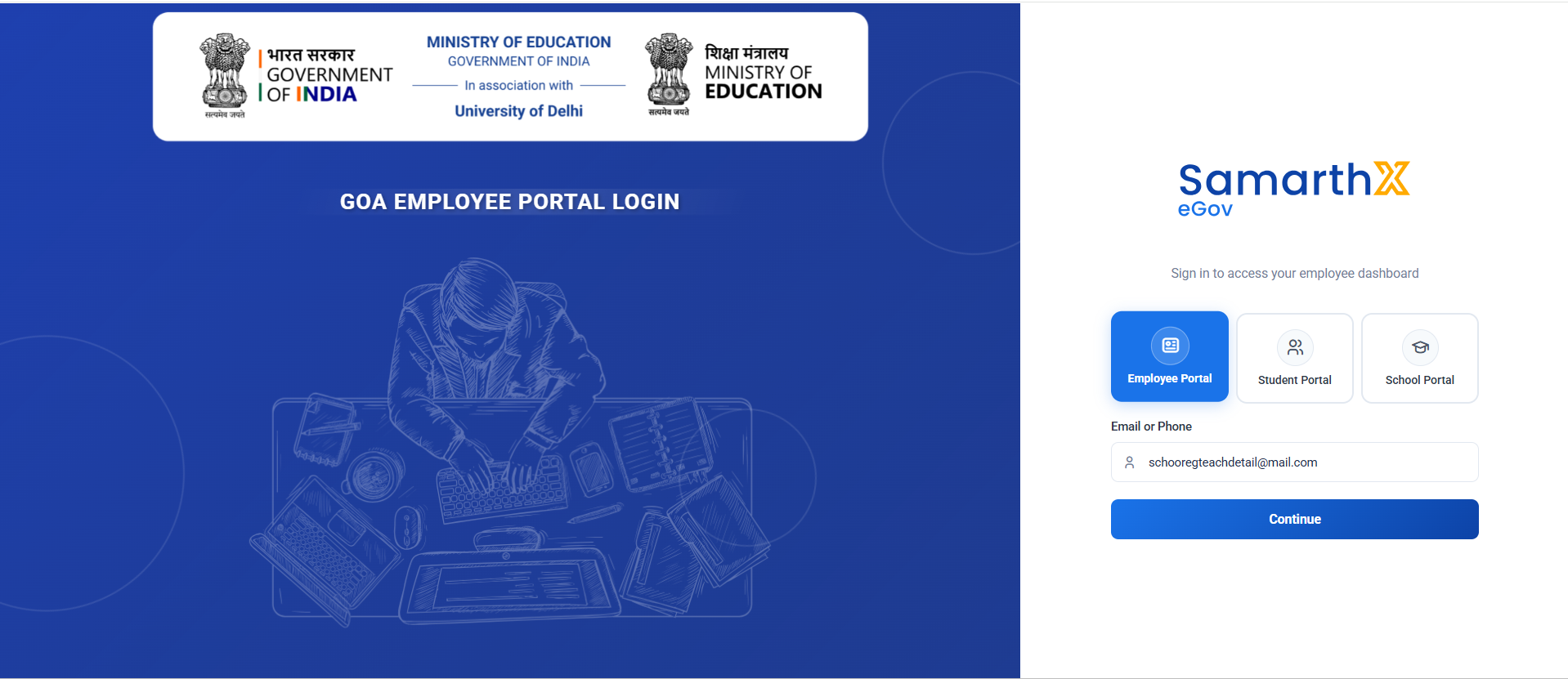
Portal Selection
Users can choose the appropriate portal before logging in.
Available Portals
| Portal | Description |
|---|---|
| Employee Portal | Employee access and services |
| Student Portal | Student access and academic services |
| School Portal | School administration access |
Login Form
Email or Phone
Enter the registered:
- Email Address
- Mobile Number
Placeholder:
Enter your Email or Phone
Continue Button
After entering a valid email address or phone number, click:
Continue
The system proceeds to the next authentication step.
Authentication Flow
Select Portal
      ↓
Enter Email / Phone
      ↓
Click Continue
      ↓
OTP / Password Verification
      ↓
Portal Dashboard Access
Features
- Multi-portal access
- Responsive design
- State-specific branding
- Ministry of Education integration
- Secure authentication
- Mobile-friendly interface
Validation Rules
Must be:
- Valid email format
- Registered in the system
Example:
employee@example.com
Mobile Number
Must be:
- Registered mobile number
- Numeric format
Example:
9876543210
Error Handling
The system may display validation messages for:
- Invalid email address
- Unregistered mobile number
- Empty input field
- Authentication failure
Expected Outcome
Upon successful authentication:
- Employee dashboard is displayed.
- User profile and services become accessible.
- Employee-specific modules are available based on assigned roles and permissions.
No comments to display
No comments to display