
Employee Module- Declaration
The Declaration Form enables the Head of Institution to certify the authenticity and accuracy of employee data maintained in the SamarthX e-Governance Portal.
Accessing the Declaration Form
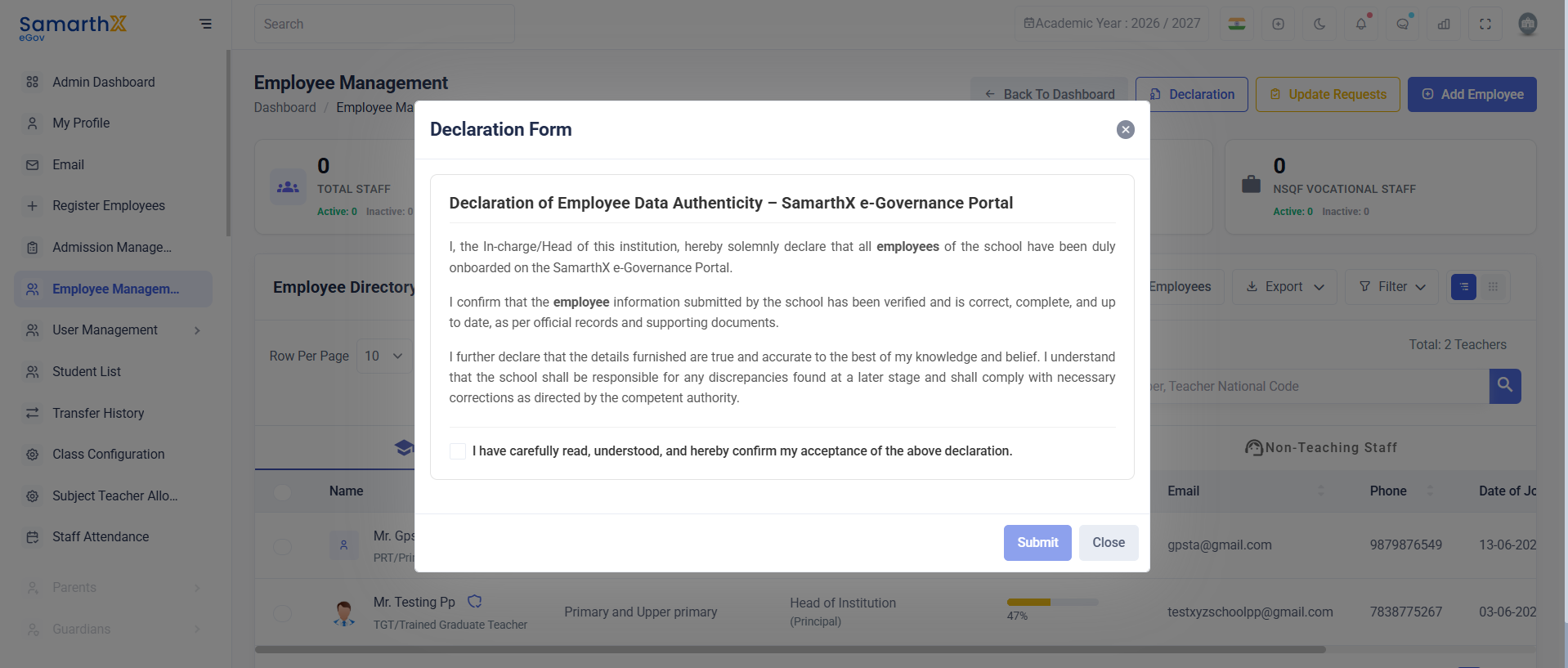
Declaration Statement
The declaration confirms that:
- All employees of the school have been onboarded on the portal.
- Employee information has been verified and is accurate, complete, and up to date.
- The institution accepts responsibility for any discrepancies and will make corrections as required by the competent authority.
Submitting the Declaration
- Read the declaration carefully.
- Select the checkbox:
- "I have carefully read, understood, and hereby confirm my acceptance of the above declaration."
- Click Submit to confirm the declaration.
- Click Close to exit without submitting.
Note: The declaration should be submitted only after verifying all employee records and supporting documents.
No comments to display
No comments to display