
Employee Module-User Guide-Employee Details
Overview
The Employee Details page provides a comprehensive view of an employee's personal, professional, and organizational information. Authorized users can review employee records, qualifications, job assignments, transfer history, and other employment-related details.
Navigation
Dashboard → Employee Dashboard → Employee Details
Page Header
The page header displays:
- Employee Name
- Employee Profile Icon
- Joining Date
- Back to Dashboard button
- Login Details button
Tabs Available
| Tab | Description |
|---|---|
| Professional Info | Employee profile and employment details |
| Qualifications | Educational qualifications and certifications |
| Job Assignment | Current and past job assignments |
| Transfer History | Employee transfer records |
| Switch History | Employee role/designation changes |
| Deputation History | Deputation and assignment records |
Personal Details
Displays basic employee information.
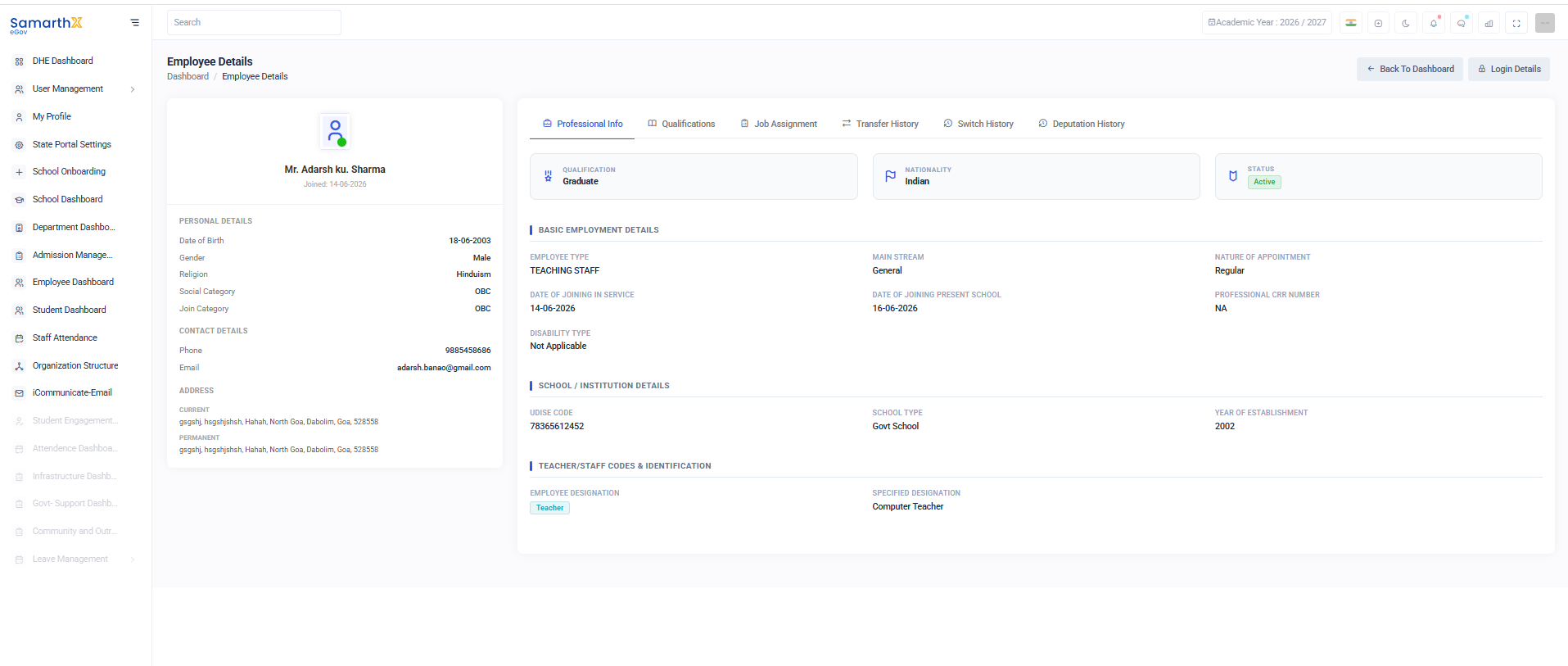
Information Available
- Date of Birth
- Gender
- Religion
- Social Category
- Join Category
Contact Details
Information Available
- Phone Number
- Email Address
Address Information
Current Address
Displays the employee's current residential address.
Permanent Address
Displays the employee's permanent residential address.
Professional Information
Summary Information
| Field | Description |
|---|---|
| Qualification | Highest educational qualification |
| Nationality | Employee nationality |
| Status | Employment status |
Basic Employment Details
- Employee Type
- Main Stream
- Nature of Appointment
- Date of Joining in Service
- Date of Joining Present School
- Professional CRR Number
- Disability Type
School / Institution Details
Information Available
- UDISE Code
- School Type
- Year of Establishment
Teacher/Staff Codes & Identification
Information Available
- Employee Designation
- Specified Designation
User Actions
View Professional Information
- Open the Employee Details page.
- Select the Professional Info tab.
- Review employee and institution information.
View Qualifications
- Select the Qualifications tab.
- Review educational qualifications and certifications.
View Transfer History
- Select the Transfer History tab.
- Review transfer records and movement history.
Return to Dashboard
- Click Back to Dashboard.
- The system redirects to the main dashboard.
Security and Access Control
- Employee information is accessible only to authorized users.
- Personal and employment records are protected through role-based permissions.
- Users should not share employee information without authorization.
Purpose
The Employee Details page serves as a centralized repository for employee information, enabling administrators and authorized personnel to manage and review employee records efficiently.
Access Control
| Role | Permissions |
|---|---|
| State Administrator | Manage all employee records |
| Department Administrator | Monitor and review employee data |
| School Administrator | Manage school employee records |
| HR Administrator | Maintain employee profiles and employment data |
| Authorized Staff | View and update records based on assigned permissions |
No comments to display
No comments to display