
Step 3: Student Admission Form – Parent/Guardian Details
Overview
The Parent/Guardian Details section captures information about the student's parent or guardian responsible for the admission process. This information is used for communication, verification, and admission-related correspondence.
Navigation
Student Admission Portal → My Applications → Student Admission Form → Step 3: Parent/Guardian Details
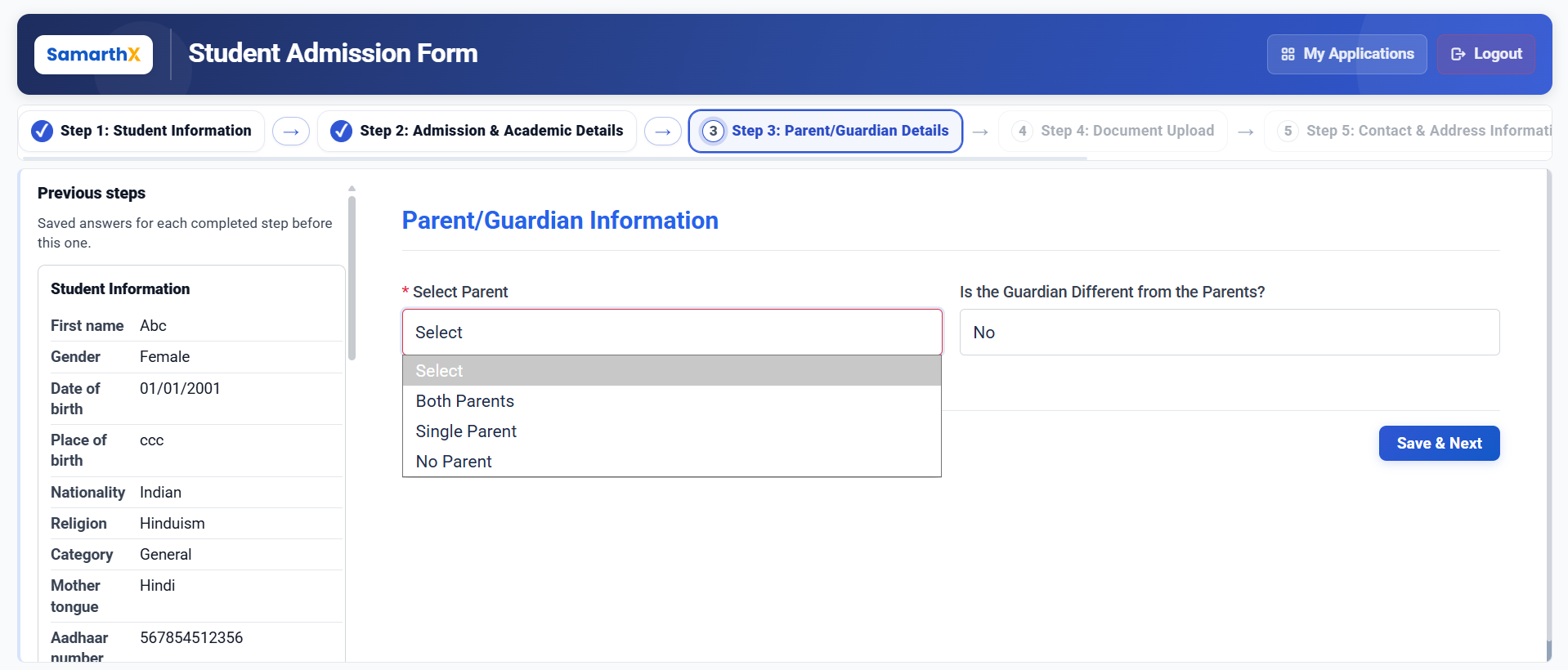
Parent/Guardian Details
This step allows applicants to review previously entered information and provide parent or guardian details.
Previous Step Summary
The following information from earlier steps is displayed for reference:
Student Information
| Field | Description |
|---|---|
| First Name | Student's first name |
| Gender | Student's gender |
| Date of Birth | Student's date of birth |
| Place of Birth | Student's place of birth |
| Nationality | Student's nationality |
| Religion | Student's religion |
| Category | Student's category |
| Mother Tongue | Student's mother tongue |
| Aadhaar Number | Student's Aadhaar number |
| Person with Disability | Disability status |
Admission & Academic Details
| Field | Description |
|---|---|
| Previous Class | Last completed class |
| Board / Exam | Previous board or examination authority |
| Previous Class Result | Pass/Fail status |
| Board Result (%) | Percentage obtained |
| Marks Obtained | Marks secured by the student |
| Total Marks | Maximum marks |
| Migrated Student | Migration status |
| Has Transfer Certificate | Transfer Certificate availability |
| Transfer Certificate Reference | Transfer Certificate reference number |
| Has Eligibility Certificate | Eligibility Certificate availability |
| Eligibility Certificate Reference | Eligibility Certificate reference number |
| Medium of Instruction | Medium of instruction in the previous class |
Parent/Guardian Information
Fields
| Field | Description |
|---|---|
| Select Parent* | Select the parent whose details will be used for the application |
| Is the Guardian Different from the Parents? | Specify whether the guardian is different from the student's parents |
Note: If a guardian different from the parents is selected, additional guardian details may be required.
Available Actions
| Action | Description |
|---|---|
| Previous | Returns to the Admission & Academic Details step |
| Save & Next | Saves the entered information and proceeds to the Document Upload step |
Workflow
Student Information
        │
        ▼
Admission & Academic Details
        │
        ▼
Parent/Guardian Details
        │
        ▼
Parent Selection
        │
        ▼
Guardian Information
        │
        ▼
Save & Next
        │
        ▼
Document Upload
Important Notes
- Fields marked with (*) are mandatory.
- Select the correct parent for admission-related communication.
- Guardian information must be provided if the guardian is different from the parents.
- Ensure all parent and guardian details are accurate before proceeding.
- The selected parent or guardian may receive admission-related notifications and updates.
No comments to display
No comments to display