
Step 7: Declaration & Agreement
Overview
The Declaration & Agreement step is the final stage of the admission process where the parent/guardian confirms that all provided information and uploaded documents are accurate and submitted with consent for admission processing.
Navigation Flow
Student Information → Admission & Academic Details → Parent/Guardian Details → Document Upload → Contact & Address Information → School & Class Selection → Declaration & Agreement
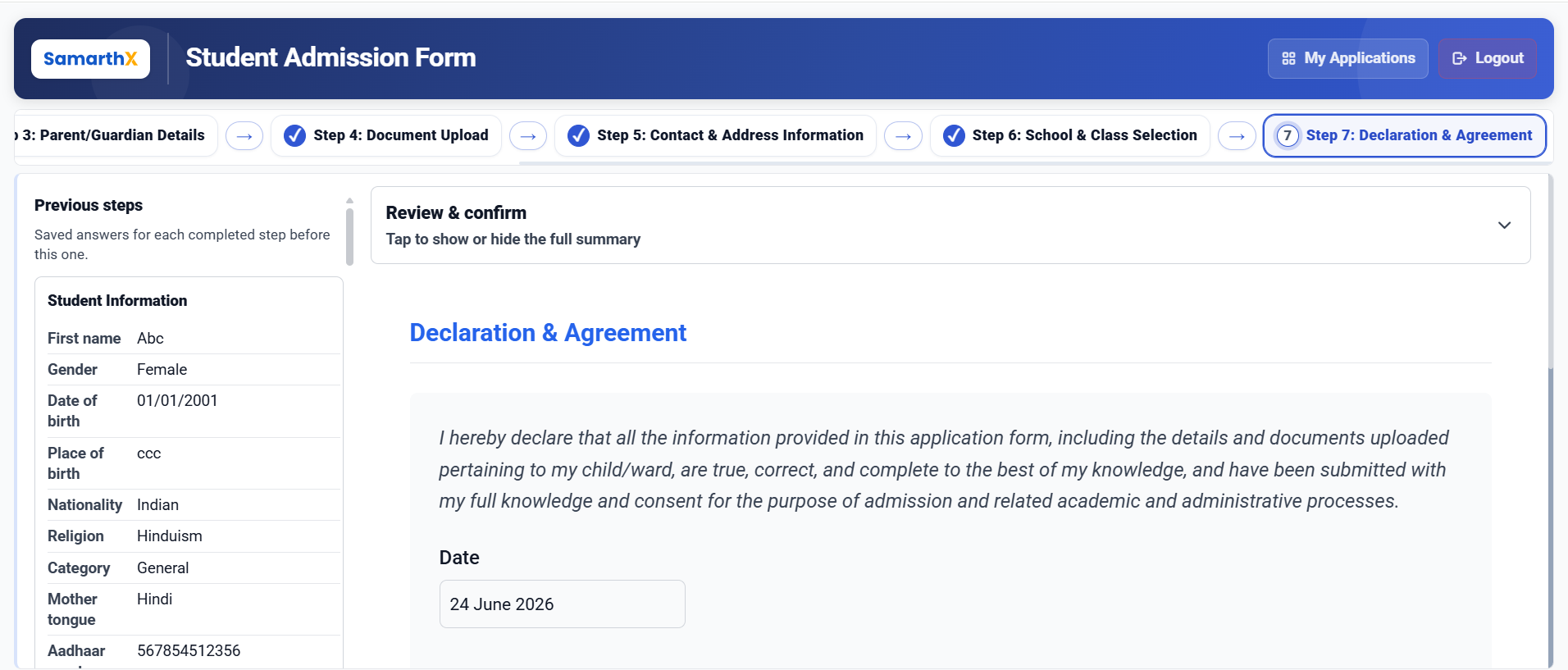
Application Summary (Read-Only Review)
This section displays a complete summary of the application:
Student Information
- Personal details (Name, DOB, Gender, Nationality, Religion, Category)
- Aadhaar number
- Disability status
- Student photo
Admission & Academic Details
- Previous class and board
- Result details
- Marks and percentages
- Migration and certificate status
- Current grade
Parent/Guardian Details
- Parent 1 (Father)
- Parent 2 (Mother)
- Additional guardian (if applicable)
- Contact, occupation, education
- Guardian address details
Document Upload
- Aadhaar cards (Student, Father, Mother, Guardian)
- Birth certificate
- Student photo
- Uploaded documents with verification status
Contact & Address Information
- Permanent address
- Correspondence address
- Guardian address
- District, Taluka, State, PIN, Country
- Mobile numbers
- Address mapping status (Same as / Different)
School Selection
- Academic Year: 2026–2027
- Application ID: System-generated
- Selected Schools (up to 5)
- School IDs stored in application record
Declaration Statement
The applicant must confirm the following declaration:
All information provided in this application, including personal details and uploaded documents, is true, correct, and complete to the best of my knowledge and has been submitted with full consent for admission and related academic/administrative processes.
Consent & Agreement Process
Required Actions:
Step 1: Download Consent Form
- Download official parent/guardian consent template
Step 2: Fill & Sign
- Print the form
- Fill required details
- Sign manually
Step 3: Upload Signature
- Upload scanned or photographed signature
- Supported formats: JPEG, PNG
Step 4: Upload Signed Consent Form
- Upload completed signed form
- Supported formats: PDF, JPEG, PNG
Validation Rules
- Signature upload is mandatory
- Signed consent form upload is mandatory
- All application steps must be completed before submission
- Declaration checkbox/confirmation must be accepted
Final Submission
Submit Declaration Button:
Enabled only when:
- All required documents are uploaded
- Consent form is uploaded
- Signature is verified (if applicable)
- Declaration is accepted
On Submit:
- Application is locked for editing
- Status is updated to “Submitted”
- Application enters review/processing stage
No comments to display
No comments to display