
Student Portal Login Guide
Accessing the Student Portal
-
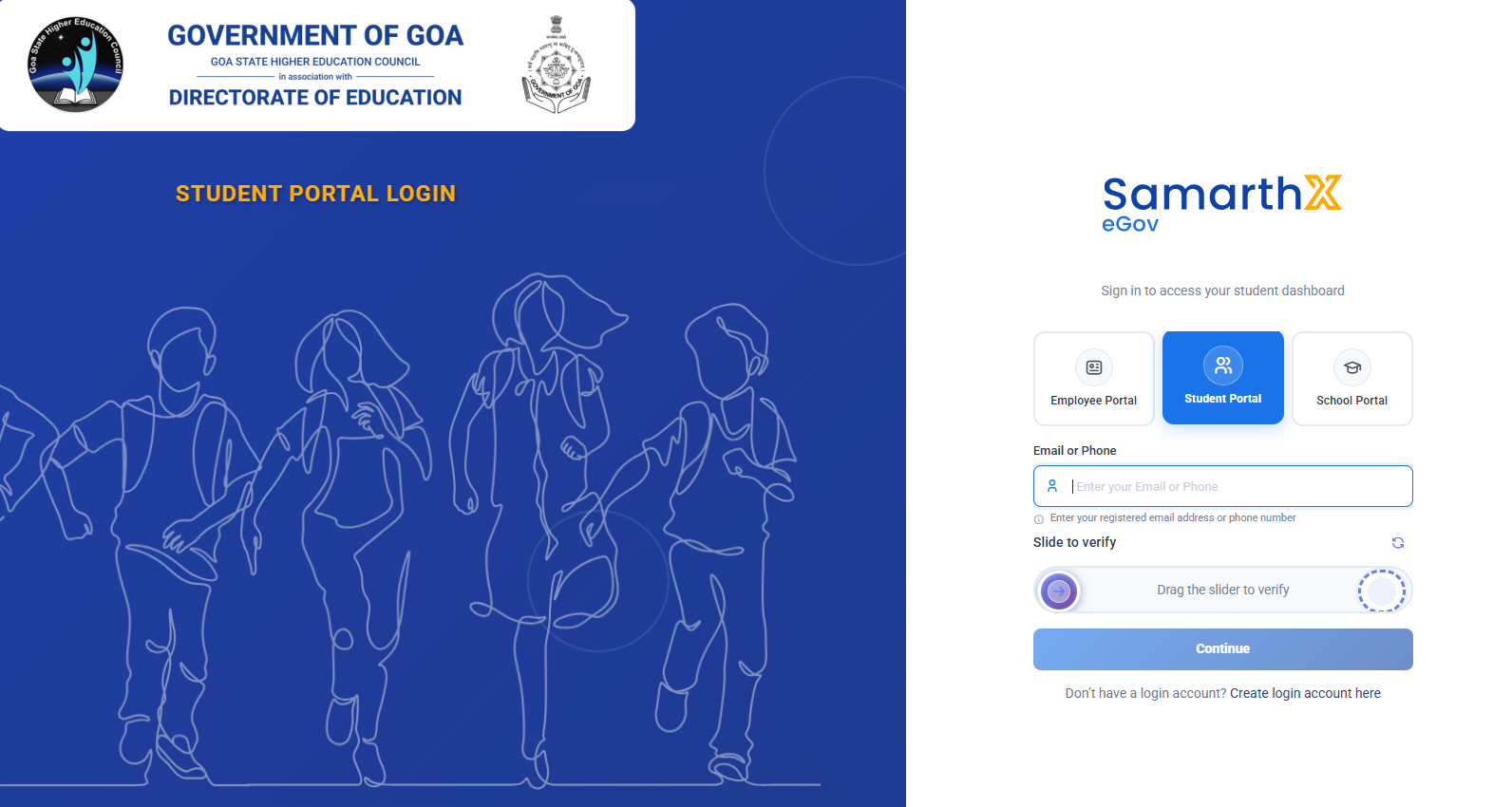
Open the SamarthX eGov Student Portal login page.
-
Select Student Portal.
-
You can log in using your registered email address or mobile number.
First-Time Login (Create Login Account)
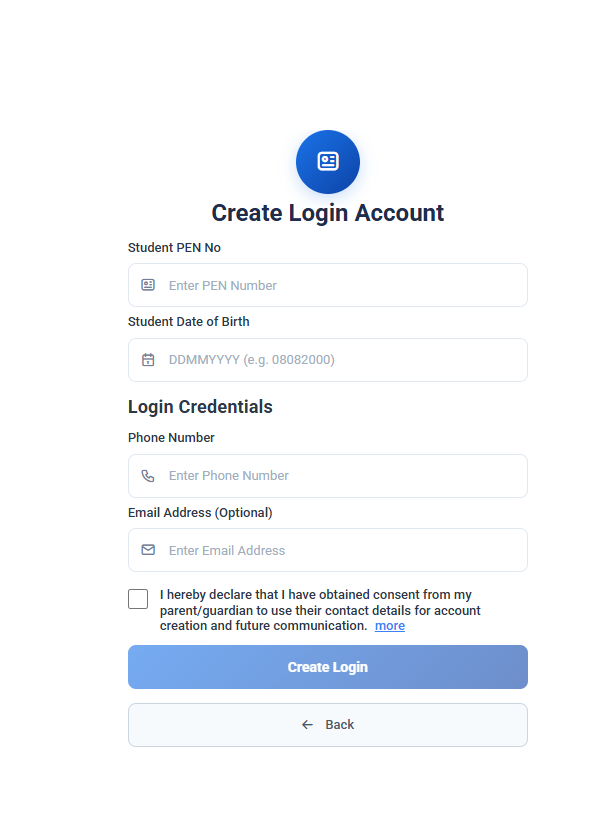
If you are logging in for the first time, you must create your login account.
Steps:
-
On the login page, click Create login account.
-
Enter the following student details:
-
Student PEN Number
-
Date of Birth (DDMMYYYY format)
-
-
Enter your Mobile Number.
-
Enter Email Address (optional).
-
Confirm consent by selecting the declaration checkbox.
-
Click Create Login.
-
Verify the OTP sent to your registered mobile/email.
-
Set and confirm your password.
-
Login using your registered email/mobile number and the newly created password.
Existing User Login
-
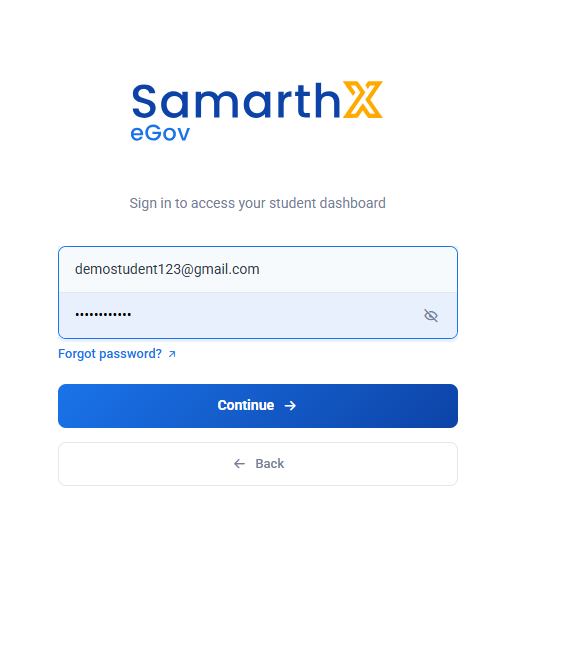
Enter your Email Address or Mobile Number.
-
Enter your password.
-
Click Continue.
-
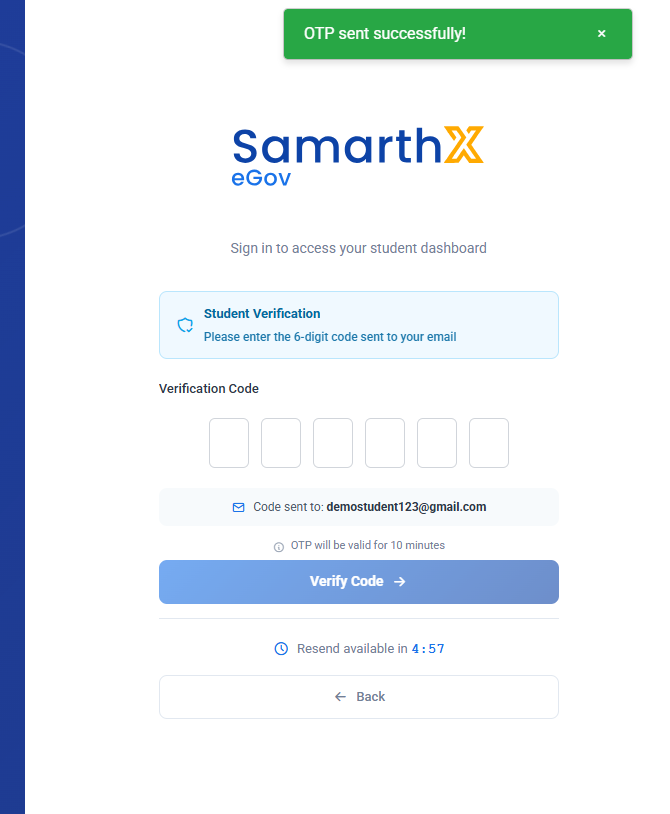
An OTP will be sent to your registered email.
-
Enter the 6-digit OTP to verify and access the dashboard.
OTP Verification
-
OTP is valid for 10 minutes.
-
If not received, use Resend OTP after the timer ends.
Important Notes
-
Ensure your PEN number and date of birth match school records.
-
Use a valid mobile number for OTP verification.
-
Keep your login credentials confidential.
No comments to display
No comments to display