
Employee Module- Add Employee
Bulk Employee Registration
The Bulk Employee Registration feature allows administrators to register multiple employees simultaneously using an Excel template.
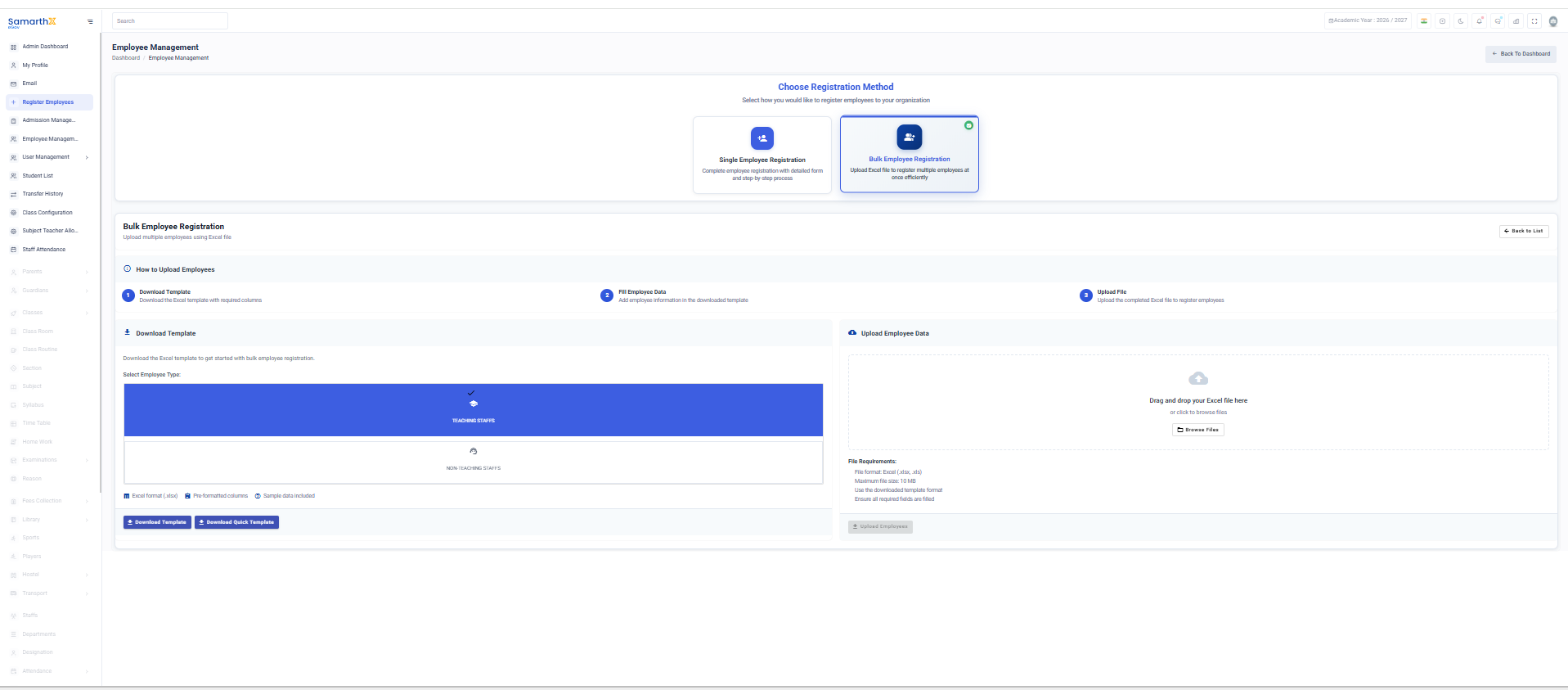
Choose Registration Method
Select one of the following registration options:
- Single Employee Registration – Register an individual employee using a detailed form.
- Bulk Employee Registration – Register multiple employees through an Excel upload.
How to Upload Employees
-
Download Template
- Download the Excel template containing the required fields.
-
Fill Employee Data
- Enter employee details in the downloaded template.
-
Upload File
- Upload the completed Excel file to register employees.
Download Template
- Select the Employee Type.
- Click Download Template.
- Save the template and enter employee information.
Upload Employee Data
- Drag and drop the completed Excel file into the upload area, or click to browse and select the file.
- Verify the uploaded data.
- Submit the file for processing.
File Requirements
- Supported formats: .xlsx, .xls
- Maximum file size: 10 MB
- Use the provided template format only.
- Ensure all mandatory fields are completed before uploading.
Note: Uploading files in an incorrect format or with missing required information may result in validation errors.
No comments to display
No comments to display