
Onboard Schools-User Guide
Overview
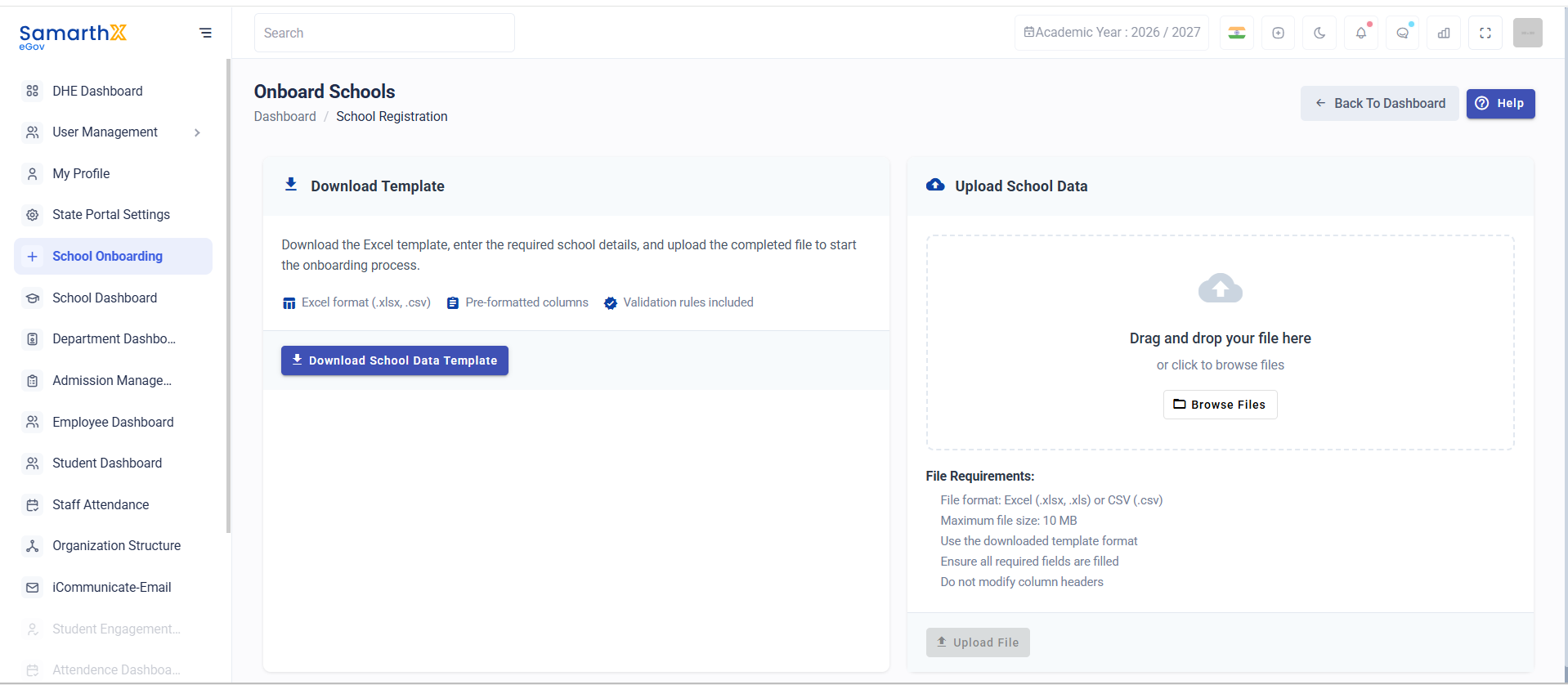
The Onboard Schools module allows administrators to bulk register schools by uploading school details through a predefined Excel template.
Download Template
Download the standard onboarding template, fill in the required school information, and upload the completed file to begin the school onboarding process.
Template Features
- Excel format (
.xlsx,.csv) - Pre-formatted columns
- Built-in validation rules
- Standardized data structure
Action
Download Template
Upload School Data
Upload the completed template containing school information.
Upload Methods
- Drag and drop the file into the upload area
- Click Browse Files to select a file from your device
File Requirements
| Requirement | Details |
|---|---|
| Supported Formats | .xlsx, .xls, .csv |
| Maximum File Size | 10 MB |
| Template Usage | Must use the downloaded template |
| Required Fields | All mandatory fields must be completed |
| Column Headers | Do not modify template column headers |
Upload Validation Rules
Before uploading, ensure:
- The file is in a supported format.
- The file size does not exceed 10 MB.
- All mandatory school details are entered.
- Template column names remain unchanged.
- Data follows the validation rules defined in the template.
Process Flow
Download Template
        ↓
Fill School Details
        ↓
Validate Data
        ↓
Upload File
        ↓
System Verification
        ↓
School Onboarding
No comments to display
No comments to display