
Admission Application Dashboard – Applicant Overview & School Applications
Overview
The Applicant Overview page provides a consolidated view of a student's admission profile, application status across selected schools, profile information, pending actions, and school-wise application tracking.
Applicants can monitor admission progress, review submitted details, and respond to requests raised by schools.
Navigation
Admission Application Dashboard → Applicants → Student Profiles → Applicant Overview
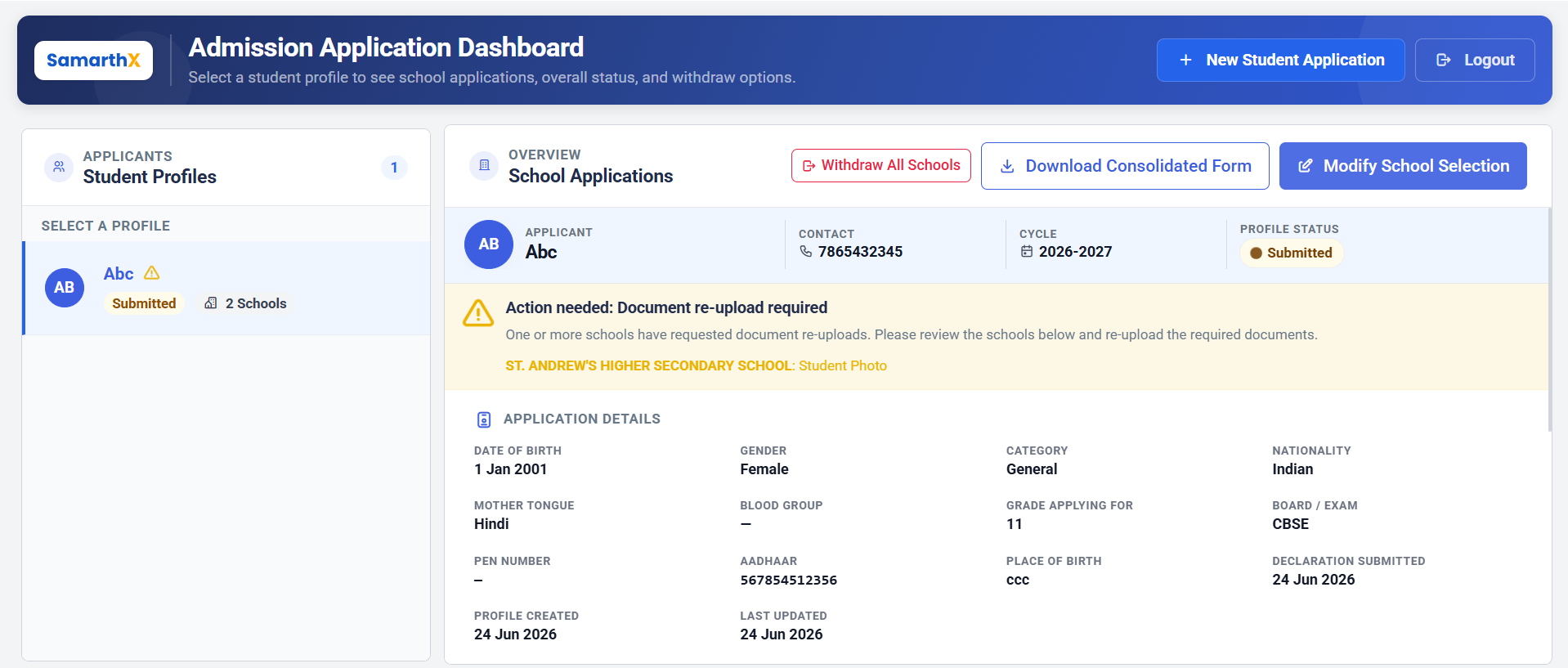
Student Profile Summary
Displays key applicant information.
| Field | Description |
|---|---|
| Applicant | Student name |
| Contact | Registered mobile number |
| Cycle | Admission cycle selected during application |
| Profile Status | Overall application profile status |
Available Statuses
- Draft
- Submitted
- Under Review
- Approved
- Rejected
- Withdrawn
Action Required Notifications
When any school requests additional information or document corrections, an alert banner is displayed.
Document Re-upload Required
One or more schools have requested updated documents. The applicant must review the request and upload the required document(s).
Information Displayed
- School Name
- Requested Document(s)
- Required Action
Example
- ST. ANDREW'S HIGHER SECONDARY SCHOOL – Student Photo
Application Details
Displays information submitted during the admission application process.
Student Information
| Field |
|---|
| Date of Birth |
| Gender |
| Category |
| Nationality |
| Mother Tongue |
| Blood Group |
| Grade Applying For |
| Board / Examination |
| PEN Number |
| Aadhaar Number |
| Place of Birth |
Application Metadata
| Field |
|---|
| Declaration Submitted Date |
| Profile Created Date |
| Last Updated Date |
School Applications
Displays all schools selected by the applicant and their individual application statuses.
Information Available Per School
| Field | Description |
|---|---|
| School Name | Applied school |
| Application Number | Unique admission application identifier |
| Status | Current school application status |
| Grade | Applied class/grade |
| Academic Year | Selected academic year |
| Admission Cycle | Selected admission cycle |
| Stream | Applied stream (if applicable) |
| Submitted Date | Application submission date |
| Updated Date | Last modification/review date |
School-wise Application Statuses
Submitted
Application has been successfully submitted and is awaiting review by the school.
Under Review
The school is currently evaluating the application and supporting documents.
Document Re-upload Required
The school has requested replacement or correction of one or more uploaded documents.
Approved
The application has been accepted by the school.
Rejected
The application has been declined by the school.
Withdrawn
The applicant has withdrawn the application before final admission processing.
Workflow
Select Student Profile
        ↓
View Application Details
        ↓
View School Applications
        ↓
Submitted
        ↓
Under Review
        ↓
Document Re-upload Required (if applicable)
        ↓
Applicant Re-uploads Document
        ↓
Under Review
        ↓
Approved / Rejected
Available Actions
View Applicant Profile
Review submitted student and admission information.
Track School Applications
Monitor application progress across all selected schools.
Respond to Re-upload Requests
Review document correction requests and upload updated documents.
Review Application Timeline
View submission and update history for each school application.
Manage Multiple School Applications
Track admission status for all schools associated with the student profile.
No comments to display
No comments to display