
State Onboarding Process (Invite → Verify → Activate)
The SamarthX Admin Portal is used to manage and verify the complete State Onboarding lifecycle.
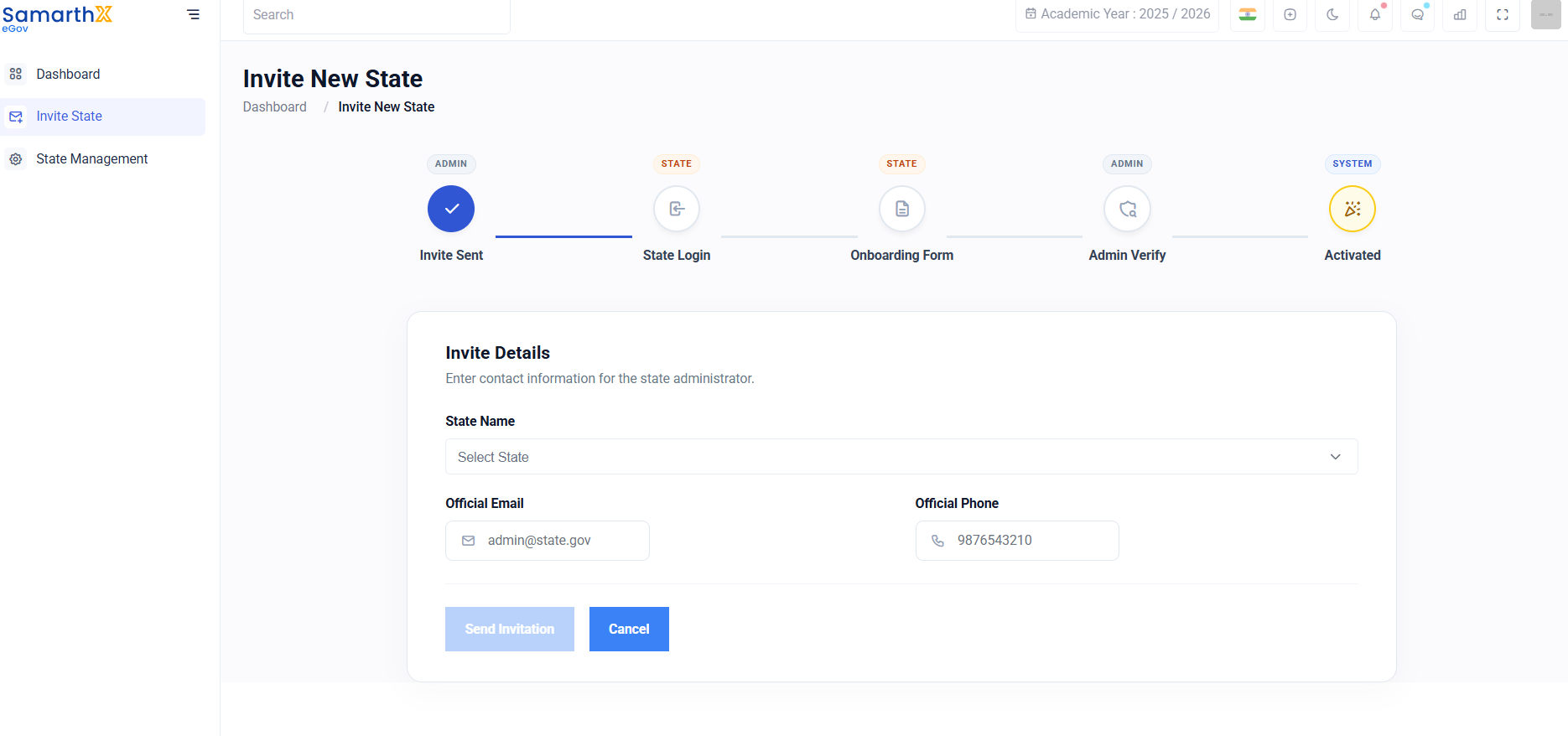
Step 1: Invite a New State
-
From the left sidebar, click Invite State.
-
Select the State Name.
-
Enter the following details:
-
Official Email ID
-
Official Phone Number
-
-
Click Send Invitation.
Step 2: State Login and Form Submission
-
The invited state administrator receives login credentials via email.
-
The state logs in to the State Portal.
-
The state completes the Onboarding Form, including:
-
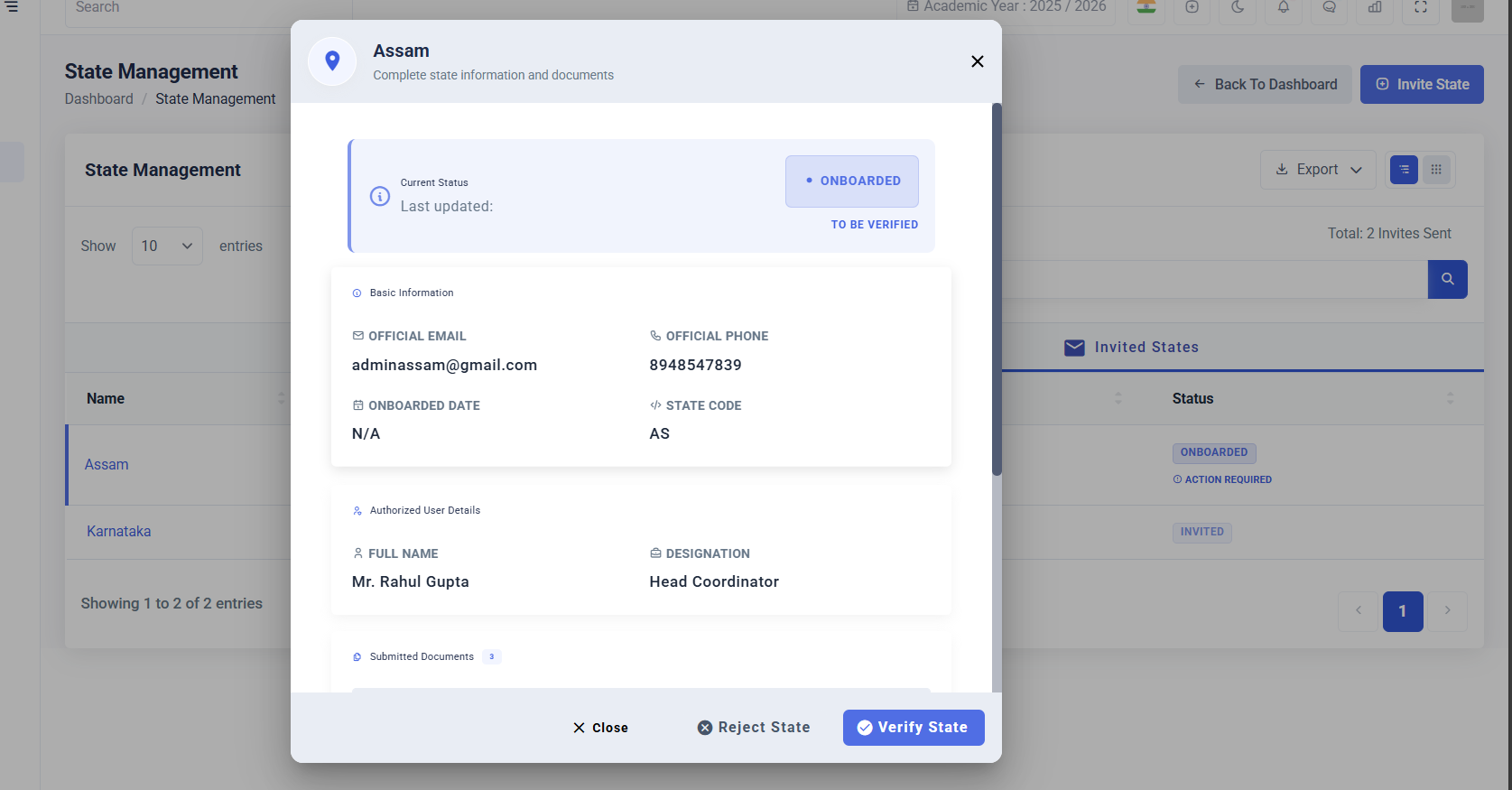
Basic Information
-
Authorized User Details
-
Required Documents
-
-
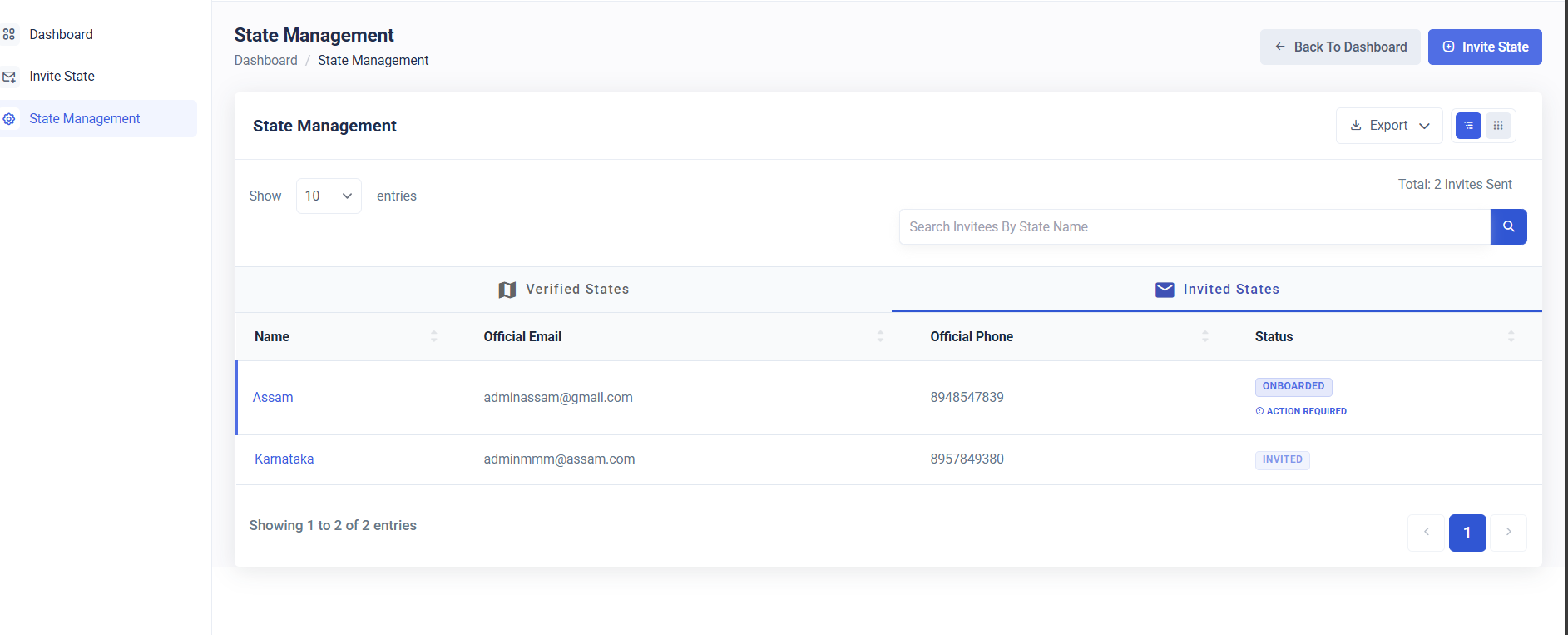
The status changes to Onboarded / To Be Verified.
Step 3: Admin Review and Verification
Once verified, the status changes to Activated.
Step 4: State Access Enabled
After activation the State can access its full dashboard and modules.
No comments to display
No comments to display