
Step 1: Student Admission Form – Student Information
Overview
The Student Information section is the first step of the admission application process. Applicants must provide the student's personal and identification details as per official records.
Navigation
Student Admission Portal → My Applications → Student Admission Form → Step 1: Student Information
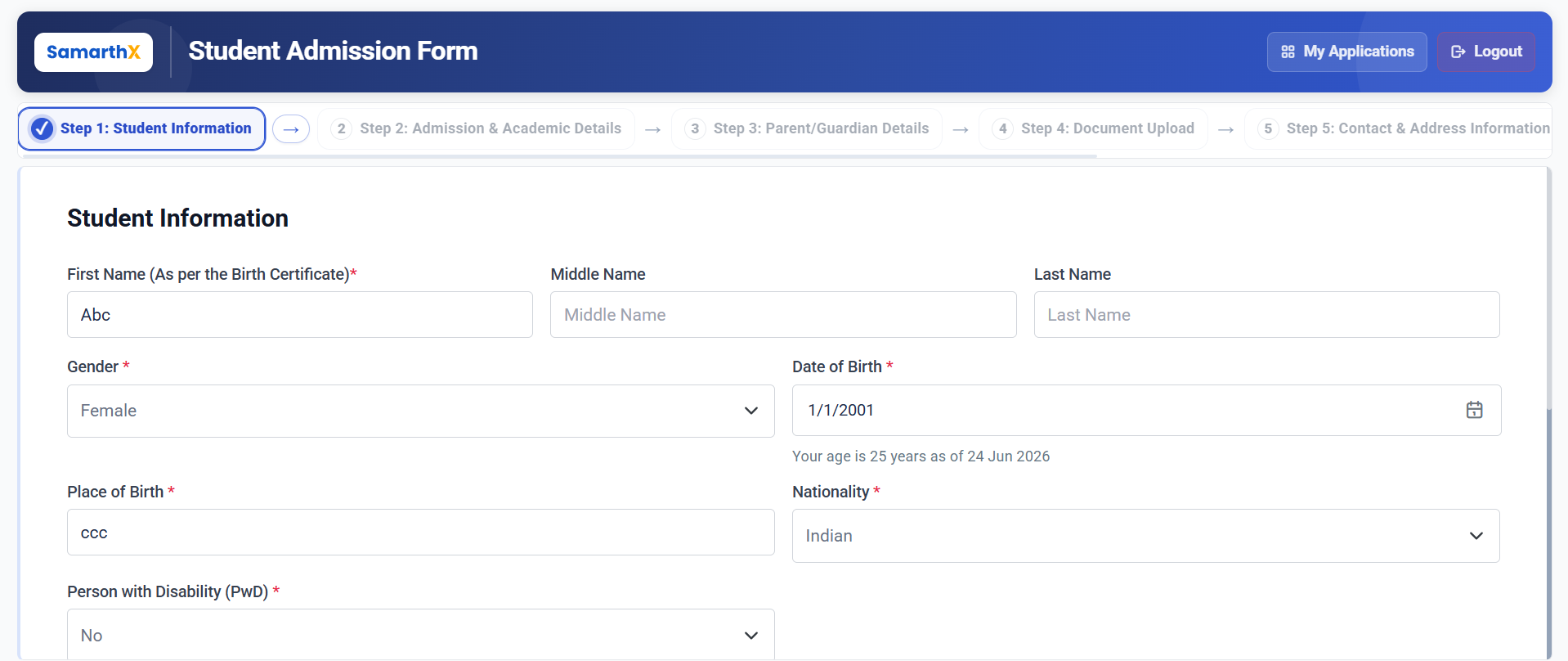
Student Information
Enter the student's personal details accurately as they appear on official documents.
Fields
| Field | Description |
|---|---|
| First Name* | Student's first name as per the Birth Certificate |
| Middle Name | Student's middle name (if applicable) |
| Last Name | Student's last name |
| Gender* | Select the student's gender |
| Date of Birth* | Select the student's date of birth |
| Place of Birth* | Enter the student's place of birth |
| Nationality* | Select the student's nationality |
| Person with Disability (PwD)* | Indicate whether the student is a Person with Disability |
| Religion* | Select the student's religion |
| Category* | Select the student's category |
| Mother Tongue* | Select the student's mother tongue |
| Blood Group | Enter or select the student's blood group |
| Aadhaar Number* | Enter the student's Aadhaar number |
| PEN Number | Enter the Permanent Education Number (PEN), if available |
| APAAR ID | Enter the APAAR ID, if available |
Age Calculation
The system automatically calculates and displays the student's age based on the selected Date of Birth.
Note: Age is calculated automatically and displayed for reference purposes.
Available Actions
| Action | Description |
|---|---|
| Save & Continue | Saves the entered information and proceeds to the next step |
Workflow
Student Information
        │
        ▼
Personal Details Entry
        │
        ▼
Identity Information Entry
        │
        ▼
Age Verification
        │
        ▼
Save & Continue
        │
        ▼
Admission & Academic Details
Important Notes
- Fields marked with (*) are mandatory.
- Student name should match the Birth Certificate.
- Aadhaar Number must be entered correctly.
- PEN Number and APAAR ID are optional unless required by the institution.
- Verify all information before proceeding to the next step.
No comments to display
No comments to display