
Step 5: Student Admission Form – Contact & Address Information
Overview
The Contact & Address Information section captures the student's permanent address, correspondence address, contact details, and guardian address information. This information is used for communication, admission correspondence, and record maintenance.
Navigation
Student Admission Portal → My Applications → Student Admission Form → Step 5: Contact & Address Information
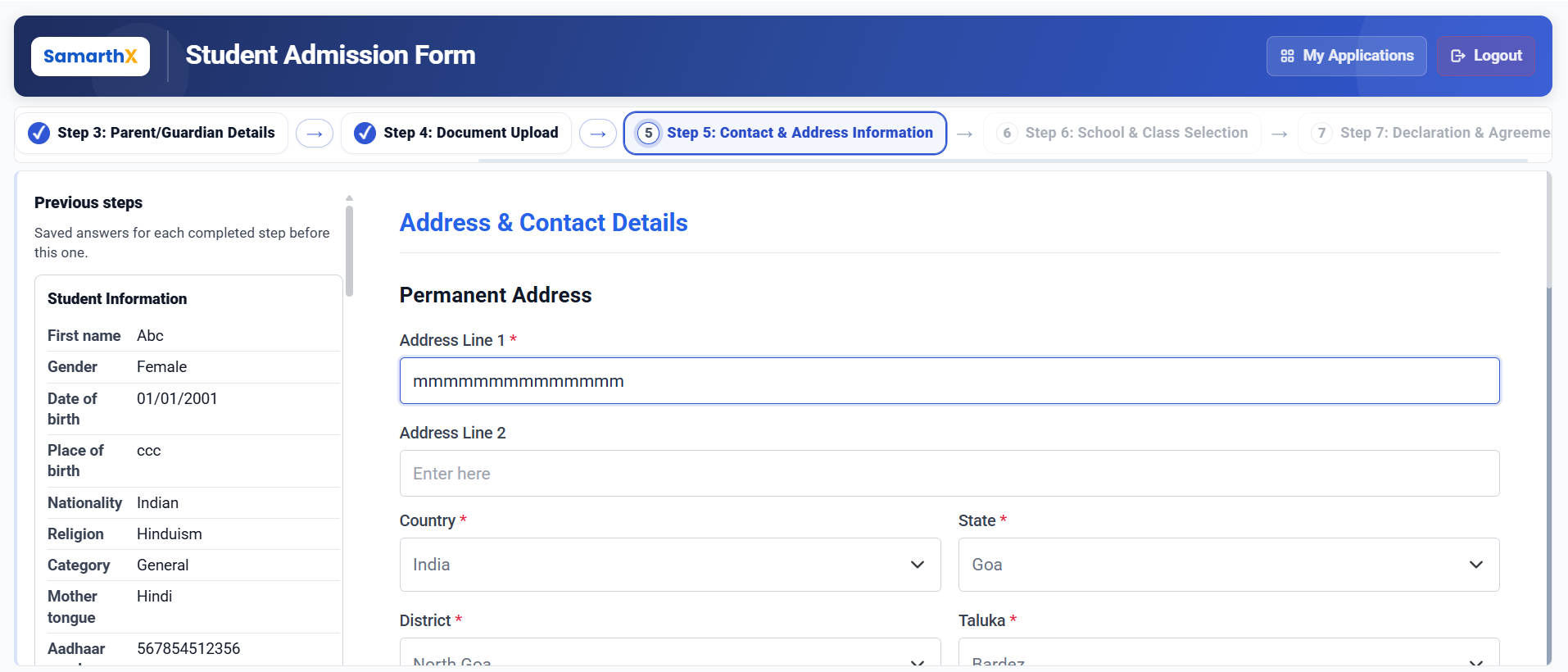
Contact & Address Information
This step allows applicants to review previously entered information and provide address and contact details.
Permanent Address
Enter the student's permanent residential address.
Fields
| Field | Description |
|---|---|
| Address Line 1* | Primary address details |
| Address Line 2 | Additional address information (optional) |
| Country* | Country of residence |
| State* | State of residence |
| District* | District of residence |
| Taluka* | Taluka of residence |
| Pincode* | Postal code |
| City/Town/Village* | City, town, or village name |
Correspondence Address
Provide the address where admission-related communication should be sent.
Fields
| Field | Description |
|---|---|
| Same as Permanent Address | Copies permanent address details automatically |
| Address Line 1* | Correspondence address |
| Address Line 2 | Additional address information (optional) |
| Country* | Country |
| State* | State |
| District* | District |
| Taluka* | Taluka |
| Pincode* | Postal code |
| City/Town/Village* | City, town, or village name |
Note: When Same as Permanent Address is selected, the correspondence address is automatically populated with the permanent address details.
Contact Information
Provide contact details for admission-related communication.
Fields
| Field | Description |
|---|---|
| Mobile Number* | Primary contact number |
| Alternative Mobile Number | Secondary contact number (optional) |
| Email Address | Email address for communication (optional) |
Guardian Address
If a guardian is specified in the Parent/Guardian Details section, provide the guardian's address.
Fields
| Field | Description |
|---|---|
| Same as Permanent Address | Copies permanent address details automatically |
| Address Line 1* | Guardian's address |
| Address Line 2 | Additional address information (optional) |
| Country* | Country |
| State* | State |
| District* | District |
| Taluka* | Taluka |
| Pincode* | Postal code |
| City/Town/Village* | City, town, or village name |
Note: When Same as Permanent Address is selected, the guardian address is automatically populated using the permanent address information.
Available Actions
| Action | Description |
|---|---|
| Previous | Returns to the Document Upload step |
| Save & Next | Saves the entered information and proceeds to the School & Class Selection step |
Workflow
Document Upload
        │
        ▼
Contact & Address Information
        │
        ├── Permanent Address
        │
        ├── Correspondence Address
        │
        ├── Contact Information
        │
        └── Guardian Address
        │
        ▼
Save & Next
        │
        ▼
School & Class Selection
Important Notes
- Fields marked with (*) are mandatory.
- Ensure the address information is accurate and complete.
- Pincode should correspond to the selected location.
- Provide a valid mobile number for admission-related notifications.
- Email address is recommended for receiving admission updates.
- Guardian address details are required when a guardian has been specified in the application.
- Review all address and contact details before proceeding to the next step.
No comments to display
No comments to display