
Department Employee Directory-All Employees Including Sub-departments-Teaching Staff
Page 1: Overview
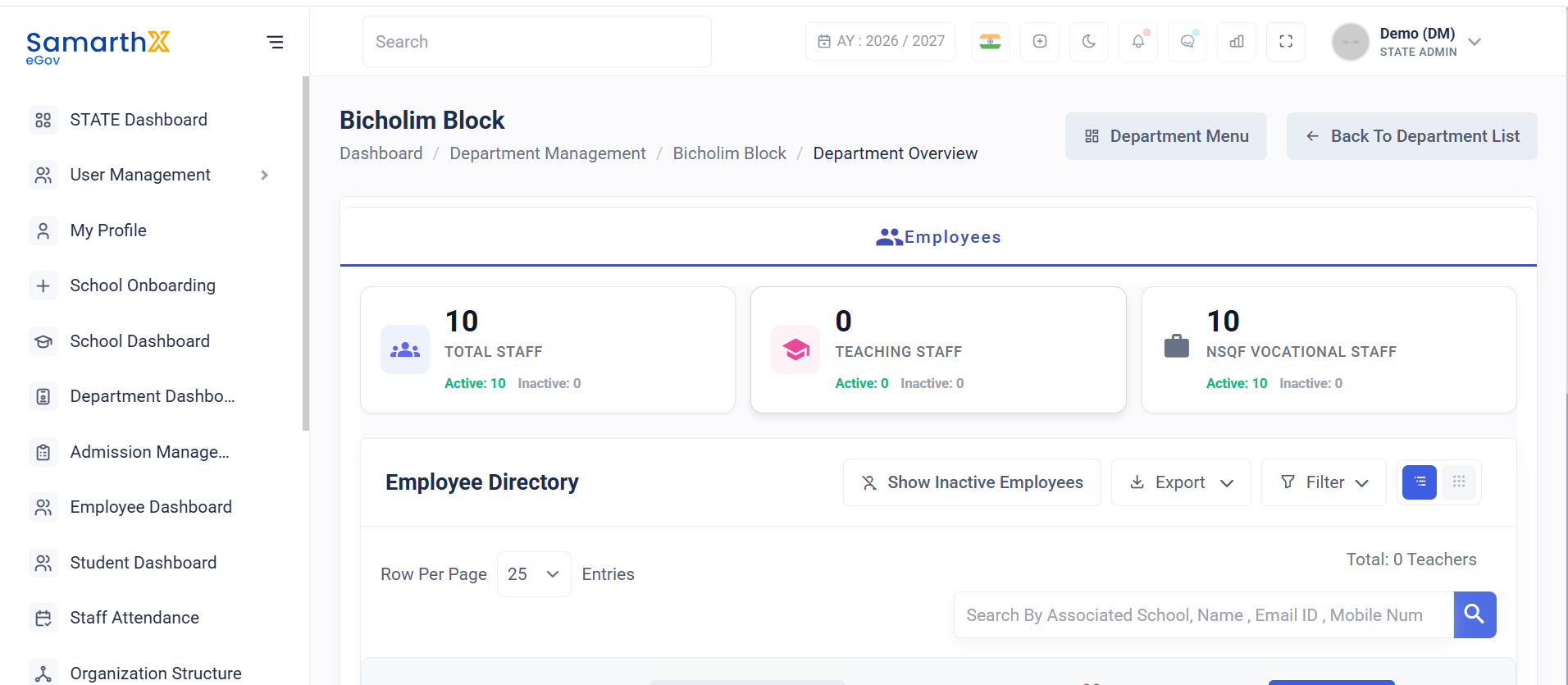
The Department Employee Directory provides a centralized view of employees associated with a department. Administrators can monitor workforce statistics, review employee information, search employee records, and filter employees based on department scope and employee category.
Navigation
Department Dashboard → `Employees
 `
`
Access Permission
| Role | Access |
|---|---|
| State Admin | View Department Employees |
Department Overview
The Department Overview section displays workforce statistics for the selected department.
Available Metrics
| Metric | Description |
|---|---|
| Total Staff | Total employees associated with the department |
| Active Employees | Employees currently active in the system |
| Inactive Employees | Employees marked as inactive |
| Teaching Staff | Total teaching employees |
| NSQF Vocational Staff | Total vocational employees |
Example Summary
| Category | Total | Active | Inactive |
|---|---|---|---|
| Employees | 10 | 10 | 0 |
| Teaching Staff | 0 | 0 | 0 |
| NSQF Vocational Staff | 10 | 10 | 0 |
Note: NSQF Vocational Staff can be added and managed only by authorized DHE administrators.
Employee Directory
The Employee Directory displays employee records belonging to the selected department.
Search Employees
Users can search employee records using:
- Associated School
- Employee Name
- Email ID
- Mobile Number
- Teacher National Code
Directory Filters
Employee Category
Available options:
- All Employees
- Teaching Staff
- NSQF Vocational Staff
Department Scope
Available options:
- Including Sub-departments
- Department Only
Including Sub-departments
Displays employees from:
- Selected department
- Child departments
- Associated organizational units
Department Only
Displays employees belonging only to the selected department.
Employee Information
The employee directory displays the following information:
| Field | Description |
|---|---|
| Action | Available actions for the employee record |
| Status | Department ownership indicator |
| Name | Employee name |
| Employee Designation | Assigned designation |
| Department Name | Associated department |
| Profile Completion | Employee profile completion percentage |
| Login Credentials | Registered email and mobile number |
| Date of Joining | Employee joining date |
Empty State
If no employee records match the selected filters or search criteria, the system displays the following message:
No staff found matching your criteria
Possible reasons include:
- No employees assigned to the selected category
- No employees available in the selected department scope
- Search criteria returned no results
- Department currently has no registered staff records
User Actions
Administrators can:
- View department workforce statistics
- Search employee records
- Filter employees by category
- Filter employees by department scope
- Review employee information
- Monitor staffing across departments and sub-departments
Notes
- Employee statistics are displayed regardless of active directory filters.
- Employee records displayed depend on the selected employee category and department scope.
- The directory may display an empty state when no records satisfy the selected criteria.
- Workforce data is maintained centrally and updated based on employee assignments.
- Access to employee information is controlled through role-based permissions.
No comments to display
No comments to display