
Student Account Selection
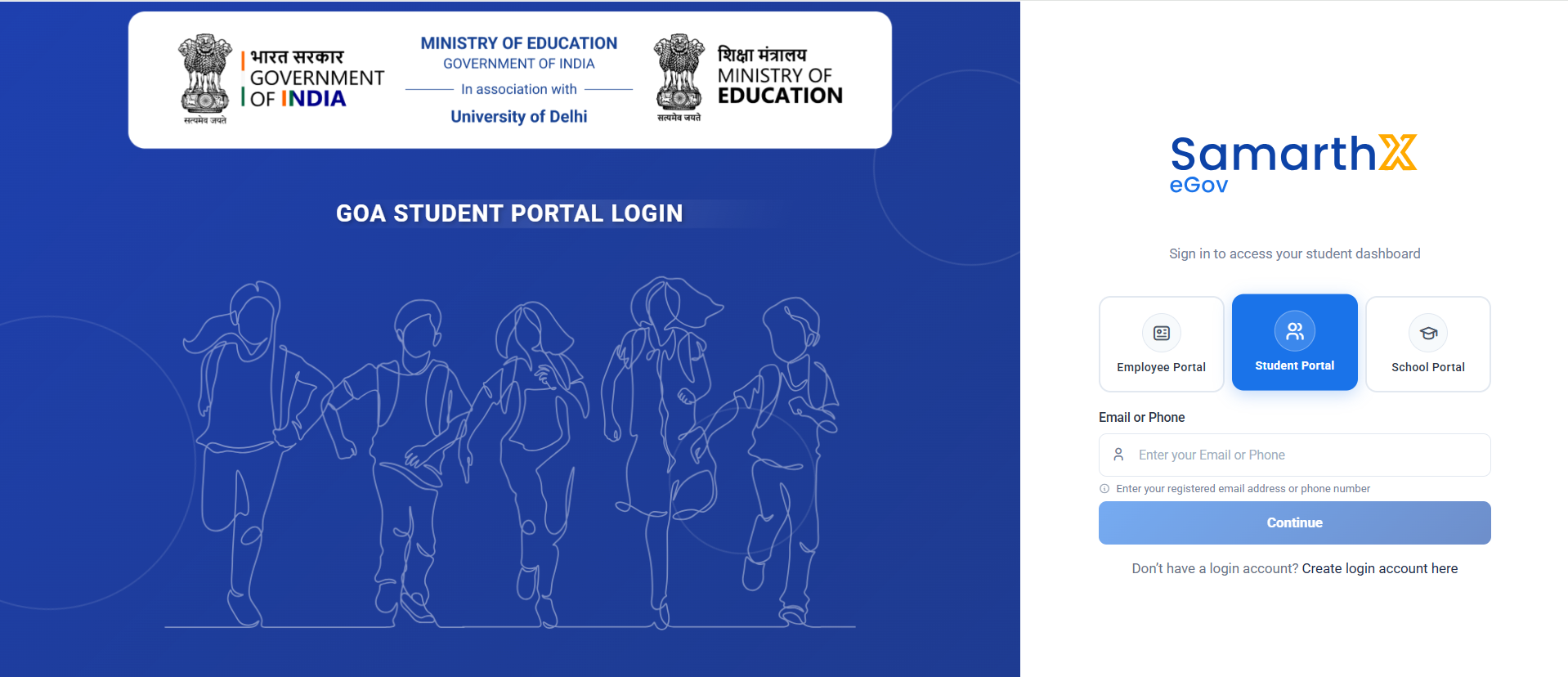
Overview
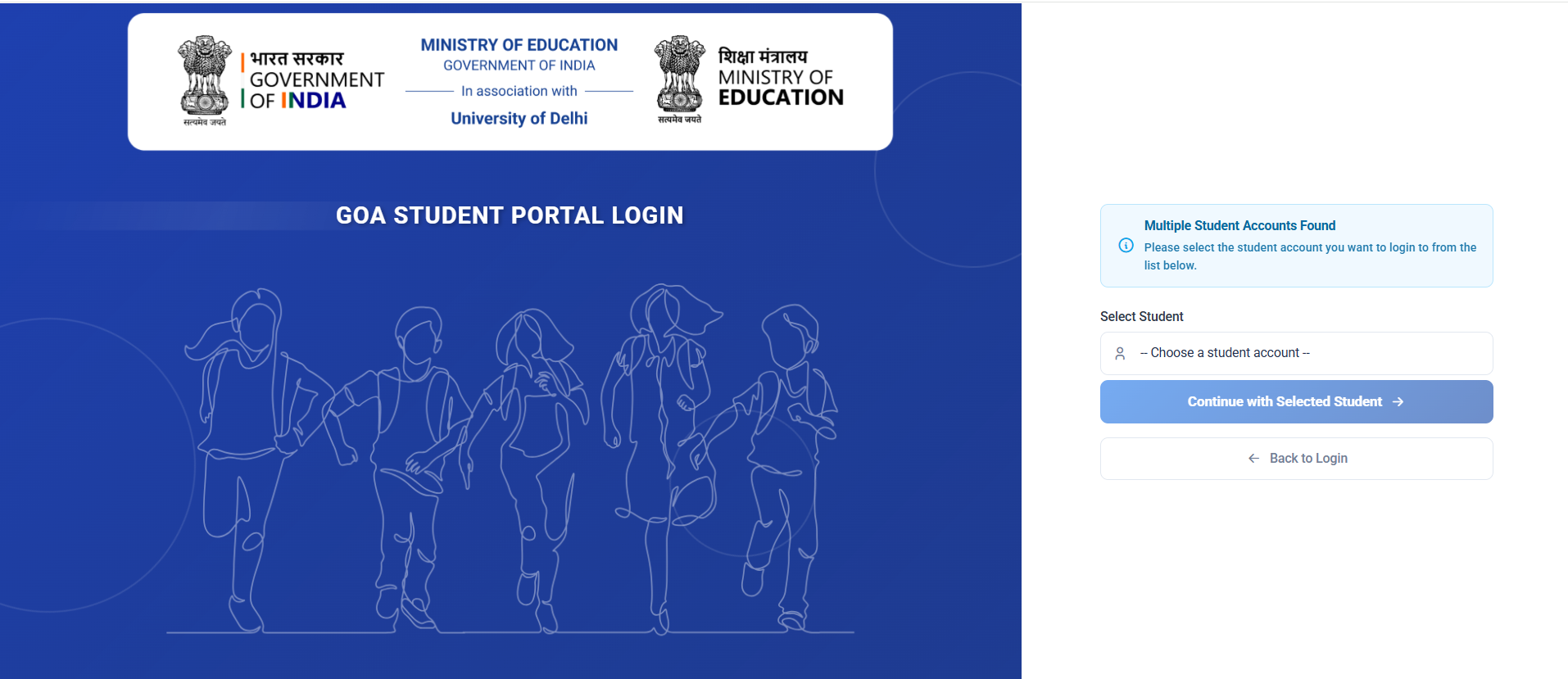
This page is displayed when multiple student accounts are associated with the same registered email address or mobile number.
Students must select the appropriate account before proceeding to the dashboard.
Page Message
Multiple Student Accounts Found
Please select the student account you want to login to from the list below.
Student Selection
| Field | Description |
|---|---|
| Select Student | Choose the student account to access |
Default Option
-- Choose a student account --
Actions
Continue with Selected Student
Proceed to login using the selected student account.
Authentication Flow
Enter Email / Phone
        ↓
Multiple Accounts Found
        ↓
Select Student Account
        ↓
Continue with Selected Student
        ↓
Student Dashboard
Student Verification
Overview
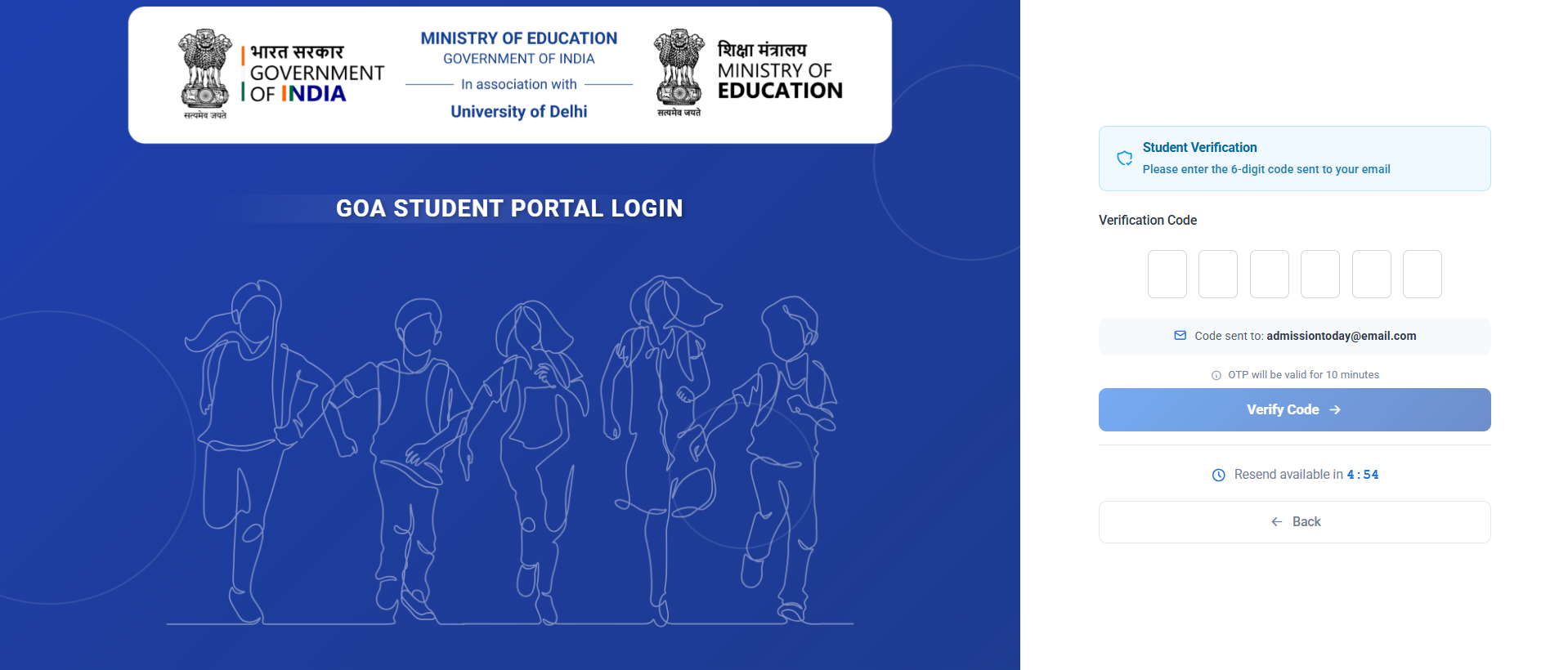
The Student Verification page is used to verify the student's identity through a One-Time Password (OTP) sent to the registered email address.
Portal Information
Verification Message
Student Verification
Please enter the 6-digit code sent to your email.
Verification Details
| Field | Description |
|---|---|
| Verification Code | Enter the 6-digit OTP received via email |
OTP Information
- Code sent to: admissiontoday@email.com
- OTP validity: 10 minutes
Actions
Verify Code
Click Verify Code to validate the OTP and continue login.
Resend OTP
Resend available in 4:45
A new OTP can be requested once the countdown timer expires.
No comments to display
No comments to display