
System Overview
The Communication Service is a communication platform designed for large, multi-tier organizations such as departments of education, school networks, and their extended communities. It brings together several channels of communication into a single, unified experience so that authorities, schools, employees, students, and parents can stay connected.
The system supports the following ways of communicating with each other:
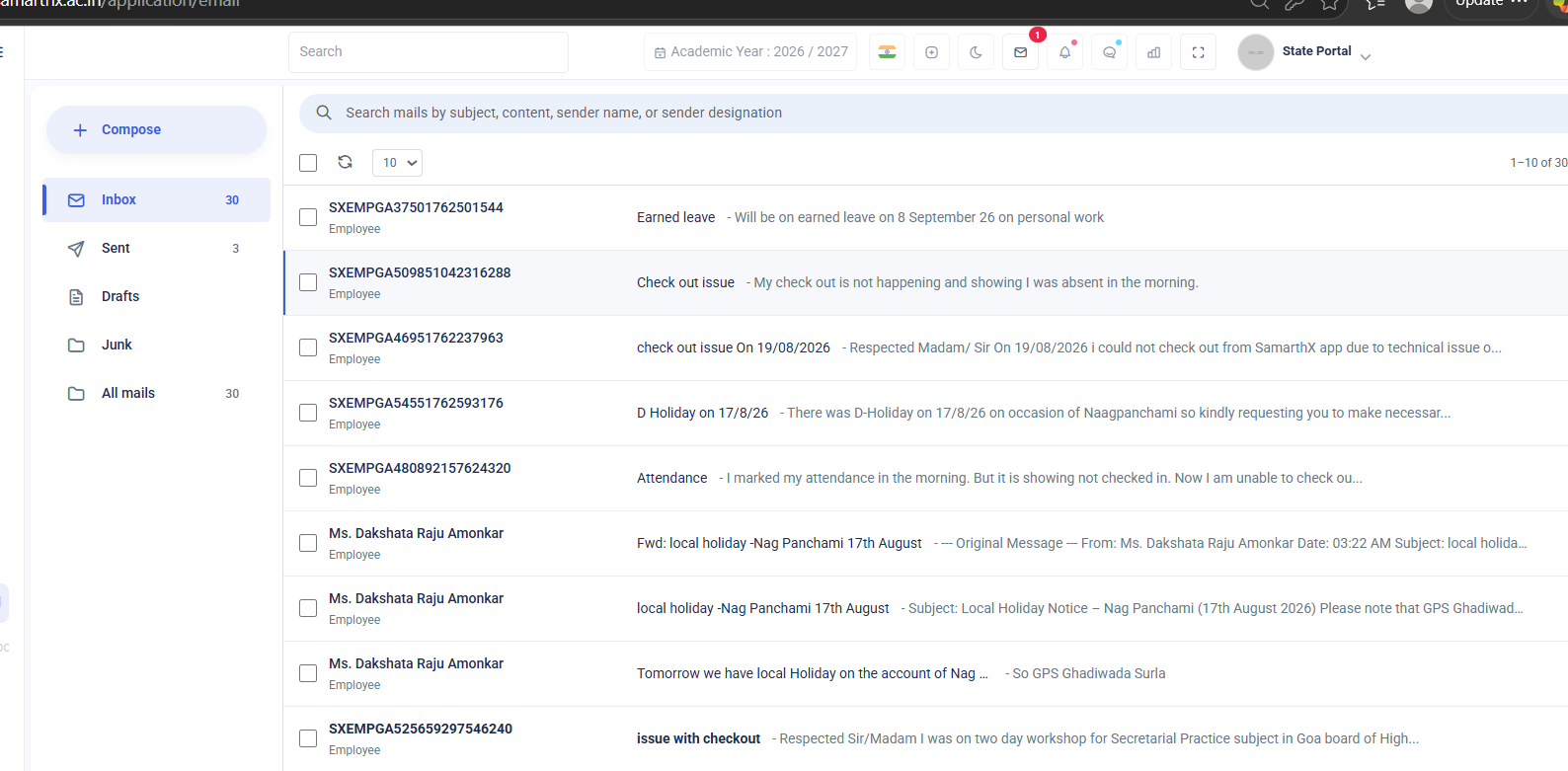
- Formal, email-style Messages with subjects, bodies, attachments, primary/CC/BCC recipients, threads, drafts, and folders.
- Broadcast Announcements that can be sent to large groups of users (for example, all employees, all schools, or all students).
- Chats for one-to-one and group conversations with attachments and message history.
- System-generated Notifications from linked services such as the Student Admission Portal.
The platform is organized around user identity, user role, and the tenant/state or region the user belongs to, so that each user only sees the messages and chats that are meant for them.
Major Features Overview
At a high level, the platform provides the following major end-user features:
- Messaging (Email-Style Communication) — Compose, send, receive, reply, forward, archive, and organize formal messages with attachments and folders.
- Message Folders and Organization — Manage default folders (Inbox, Sent, Drafts, Outbox), create and maintain custom folders, and move messages between folders.
- Broadcast Announcements — Send a message to large groups of users based on their role, service, or organization.
- Chats (Direct and Group Conversations) — One-to-one direct chats and group chats with participants, roles, replies, message history, and file sharing.
- Attachments and File Sharing — Attach files to messages and chat messages, and download them later.
- Read Tracking and Unread Counts — Track read/unread status for messages and chats, and see unread counters in the inbox.
- Student Admission Portal Notifications — Receive system-generated messages triggered by the linked Admission portal.
No comments to display
No comments to display